New Launch - India Real Estate Report 2026.

Services
Knowledge Hub
Resources
Tools

Ask Pulse Ai
©PropTech Pulse 2025, All rights reserved.


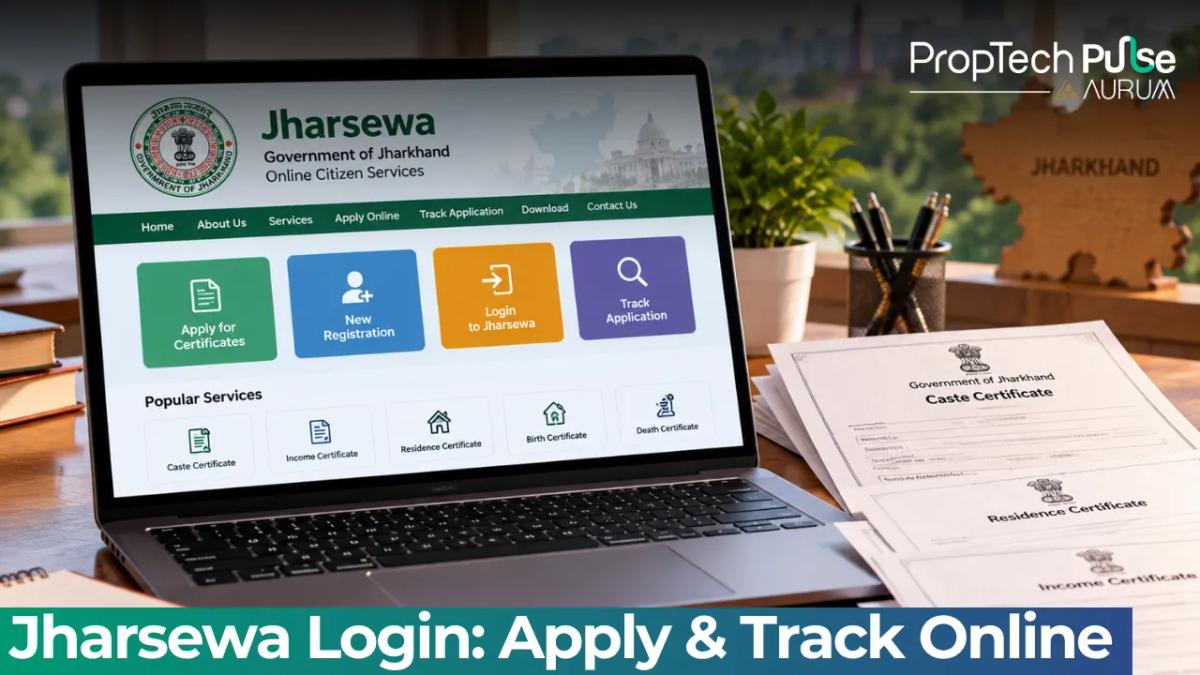
Applying for government certificates in Jharkhand used to mean standing in line at the tehsil office. Waiting often took days for a single stamp.
Today, the Jharsewa portal lets residents download local resident, caste, income, and marriage certificates straight from a laptop.
This guide shows the exact clicks to create an account, access service menus, upload compliant documents, and track your status without getting stuck on technical errors.
What is Jharsewa Jharkhand and Why Does It Matter?
Quick answer
Jharsewa is Jharkhand State E-Governance Society, the official platform for applying for digital government certificates online. Residents use the portal to submit applications, upload documents, pay fees, and track status for local resident, caste, income, and birth or death certificates.
The Jharsewa portal operates under the National eGovernance Plan. Its backend runs on the ServicePlus framework built by C-DAC. Routing forms through this system cuts out the manual paperwork entirely.
Banks in Bokaro or Hazaribagh demand this document for loan approvals. A separate guide on domicile certificate india apply online state portals breaks down how other states calculate permanent residence differently.
How to Register and Complete Your Jharsewa Login
Accessing government portals takes patience. Follow this route to create an account and log back in quickly.
- Open https://jharsewa.jharkhand.gov.in on any browser. Avoid outdated cache settings.
- Click the Citizen Section button on the homepage sidebar or top banner.
- Select New User Registration. Enter your full name, a working mobile number, and a valid email address.
- Verify the One Time Password sent to your phone. Create a six-character alphanumeric password. Remember it.
- On the login page, enter your username and password. Solve the CAPTCHA image exactly as shown.
Users sometimes miss OTPs after switching SIMs or roaming outside the state. Hit Forgot Password rather than guessing repeatedly. Locked accounts delay everything.
Preparing mortgage papers beforehand saves hours later. Scan your personal files neatly. Then read the essential home loan documentation checklist you need to anticipate bank demands ahead of time.
Available Jharsewa Certificates You Can Apply For Online
Jharsewa currently hosts over fifty services. The following lists cover the most common requests for residential transactions. Every certificate carries an embedded QR code that officials accept as original proof.
| Certificate Name | Issuing Department | Typical Processing Time |
|---|---|---|
| Local Resident Certificate | Dept of Personnel, Administrative Reforms & Rajbhasa | 3 to 5 working days |
| Caste Certificate (SC/ST) | Dept of Personnel, Administrative Reforms & Rajbhasa | 5 to 7 working days |
| Income Certificate | Dept of Revenue & Treasury | 3 to 5 working days |
| Birth Certificate | Revenue Department / Civil Registration | 1 to 3 working days |
| Marriage Certificate | Revenue Department | 3 to 5 working days |
Eligibility matters more than you think. Before clicking Submit, use the Check Your Entitlement feature. The system compares your profile inputs against departmental criteria. It blocks you from wasting time on a form you qualify for later, or worse, forces a rejection.
Step-by-Step: Applying Through the Jharsewa Portal
Navigate these steps from your dashboard. Layout tweaks happen occasionally, but the core Jharsewa workflow remains stable.
1. Locate the service
Open the Citizen Section menu. Search for your specific certificate type in the directory. Pick the exact match from the dropdown. District-specific variations sometimes hide useful tabs here.
2. Verify eligibility instantly
Tap the Check Your Entitlement feature. Input your caste category, income band, and district. Green means you proceed. Red triggers a warning to visit a physical centre first.
3. Populate the form accurately
Match entries to your Aadhaar card or voter ID precisely. Typographical mismatches force manual scrutiny. Double your processing wait. Attach supporting scans individually. Keep files under two megabytes and stick to PDF or JPEG formats.
Slow internet connections break uploads mid-process. Compress images aggressively before hitting submit. 4. Settle payments securely
Pick Net Banking, UPI, or Debit Card. Save the generated Reference Number and Challan ID immediately. Screenshot the success page for dispute backups.
Stuck on the web interface? Walk into the nearest Pragya Kendra. Staff operate the same central database there and charge a minimal facilitation fee.
How to Track Your Jharsewa Application Status Online
Status checks run on two parallel tracks. Registered users follow the logged-in path. Guests use the public tracker.
Logged-in path
Open View Status of Application from your dashboard. Pick your pending request. Watch for four clear stages: Submitted, Under Verification, Approved by Competent Authority, and Dispatched.
Guest path
Return to the Citizen Section menu. Select Track Application Status Report. Paste your Reference Number exactly as printed. Pull the latest officer remarks instantly.
Awaiting approval often feels slow. Rural blocks usually clear routine certificates in seventy-two hours. Busy district headquarters stretch to a full week due to volume spikes.
| Status Code | Meaning | Action Required |
|---|---|---|
| New Request | Application received by the system | None. Wait for assignment. |
| Under Verification | Assigned to a verifying officer | Ensure uploaded documents are readable. |
| Additional Information Needed | Officer flagged unclear scans | Contact the center or re-upload clearer images if the portal allows. |
| Approved | Signatures obtained digitally | Download the PDF immediately. |
| Rejected | Claim invalid or data mismatch | Refile with corrected details and fresh payment. |
How to Download Your Approved Certificate
Switch the status to Approved inside Jharsewa, then open My Applications. Click the eye icon beside your document. The official PDF loads with a digital seal and authentication QR code in the footer.
Scan the code locally to verify authenticity against the registry. Print a hard copy for your physical file. Some lenders still request paper trails despite electronic legal validity.
Before You Submit Your Application
Verify entitlement categories upfront. District boundaries and income ceilings adjust annually. Never guess based on old advice.
Run the entitlement check early, upload crisp scans, and stash the reference number offline. That habit prevents half the rejection flags seen on Jharsewa daily.
Frequently asked questions
How do I apply for a local resident certificate online in Jharkhand?
Log in to the Jharsewa citizen portal and go to the Citizen Section menu. Select Local Resident Certificate from the search results. Fill in your residential history and upload proof of address such as an electricity bill. Verify your identity using the OTP sent to your registered mobile number. Pay the nominal fee online and save the reference number.
How can I track my Jharsewa application status?
You can check progress through your logged-in dashboard by clicking View Status of Application. Alternatively, visit the public Track Application Status Report page as a guest. Enter the exact reference number printed on your payment challan to see the current stage.
What documents are required for a Jharsewa certificate?
Requirements vary by certificate type, but almost all demand a valid photo ID and proof of residence. Expect to submit parent details and tax filings for caste and income certificates. Always scan files in PDF format under two megabytes to avoid upload timeouts.
Is Jharsewa login possible without a registered mobile number?
If your primary number is inactive, you cannot receive the mandatory one-time password for registration. Switching to a new SIM solves this instantly. Alternatively, visit a nearby Pragya Kendra where authorized staff can process applications manually using the central database.
How much does it cost to apply for a caste certificate?
Standard processing for Scheduled Caste and Scheduled Tribe certificates typically costs around fifty rupees. Minor administrative surcharges may adjust the total slightly. Payments are accepted via net banking, UPI, or debit cards through the secure gateway linked to the state treasury.
Where can I visit for assistance if the website fails?
Physical help centers operate under the Jan Suvidha Kendra network across major districts. Trained operators handle form entry, document scanning, and payment processing. Bring your original ID proofs along with photocopies and arrive during standard government office hours.
Sources
- Jharsewa Official Portal: Full service catalog and login architecture (accessed October 2026)
- Citizen Login Dashboard: Registration flows and navigation structure (accessed October 2026)
- Service Track List: Status codes and tracking workflows (accessed October 2026)
Enjoyed this blog article? Visit PropTech Pulse for more interesting blogs.



Ask Pulse Ai anything about real estate

Unlock the Latest in Real Estate
News, Infographics, Blogs & More! Delivered to your inbox.