New Launch - India Real Estate Report 2026.

Services
Knowledge Hub
Resources
Tools

Ask Pulse Ai
©PropTech Pulse 2025, All rights reserved.


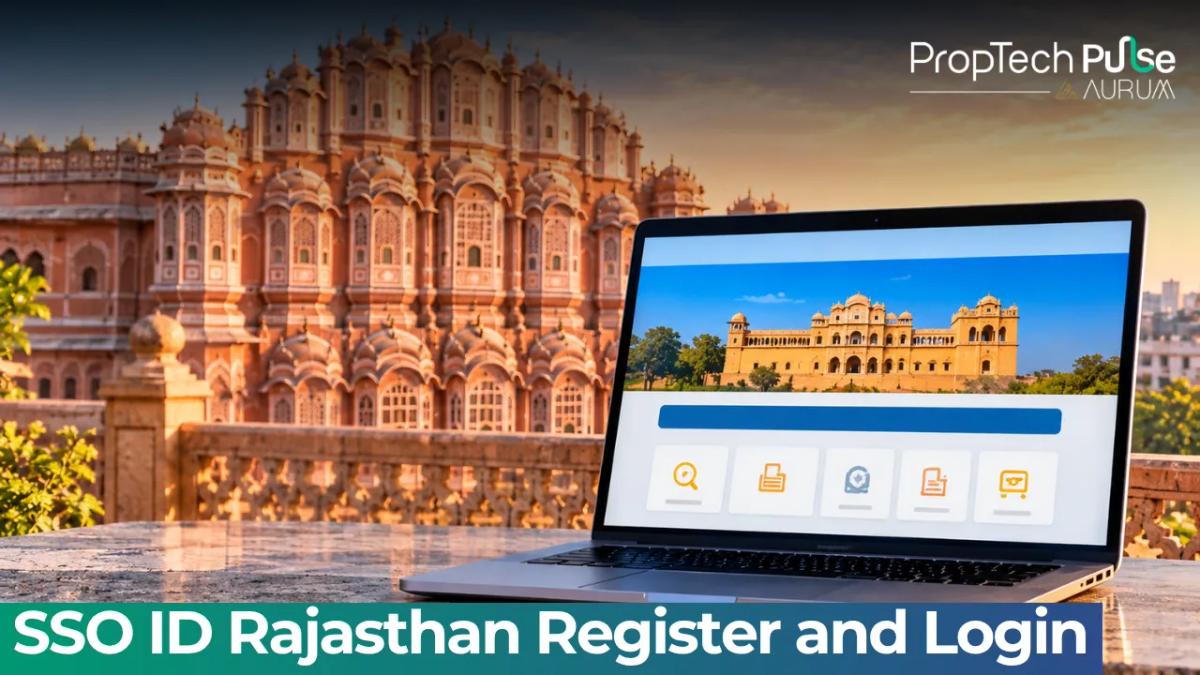
When buying property in Rajasthan or handling state paperwork, the SSO ID Rajasthan acts as your master key to hundreds of departmental portals. You can pull an encumbrance certificate, pay electricity bills, or track application statuses without visiting a single office. Forget navigating a dozen separate websites or standing in queues for basic verifications.
This guide covers the exact steps to register your account via Jan Aadhaar, navigate past common login errors, and use the dashboard features that actually save time for property buyers and real estate investors.
What is SSO ID Rajasthan?
Quick answer
The SSO ID is your single digital identity for the Rajasthan government. Created by the Department of Information Technology & Communication (DoIT&C), it links over 100 separate applications into one secure login. Once you generate this ID using Jan Aadhaar or a verified email, you gain instant access to utility payments, recruitment portals, welfare schemes, and the critical e-Mitra document services needed for property due diligence.
The Rajasthan Single Sign On framework was introduced to cut down bureaucratic friction that usually slows civic tasks.
Before this system, citizens memorized distinct passwords for revenue departments, municipal corporations, telecom circles, and education boards. Now, everything sits behind one authenticated gate.
The platform links directly to the Jan Aadhaar ecosystem. Your demographic data syncs automatically when you log in, pre-filling forms for scholarship applications or subsidy claims.
Property investors rely heavily on the gateway to e-Mitra kiosks. You can initiate requests for building plan approvals, occupancy certificates, or mutation entries from your computer and track status updates online.
Think of the dashboard as your command center. Residents aged eighteen or above set one up in five minutes.
There is no recurring subscription fee. The account stays active indefinitely unless policy violations occur. The system handles traffic spikes smoothly because backend servers load balance requests.
How to Register SSO ID Rajasthan
Setting up your account takes a few minutes, but you must choose the right authentication path. The government has moved away from traditional email-only logins for high-security actions. Here is how the three main user categories proceed.
1. Citizens (Jan Aadhaar and Google)
Citizens make up the bulk of daily traffic. They generally need the portal for paying water bills, applying for ration cards, or downloading birth certificates. The system allows two routes:
- Jan Aadhaar Path: Enter your Jan Aadhaar number and verify the OTP sent to your registered mobile number. This method locks your account to your biometric identity. Use it for serious work.
- Google Path: Select the Google authentication button and allow the state domain to verify your Gmail address. This route works best for casual users who mainly download PDF receipts or view exam results.
2. Udyog (Business Owners)
Developers, real estate agencies, and construction firms register under the Udyog category. You will need a valid GSTIN or MSME certificate linked to the business email. These accounts grant access to B2B dashboards for bidding on land auctions and checking zoning compliance data.
3. Government Employees
Public servants use a completely separate track. Enter your SIPF number along with the organizational PIN generated by your department's admin team. Regular citizens attempting to use employee credentials will hit a hard error screen.
| User Category | Required Identifier | Recommended Login Method | Typical Use Cases |
|---|---|---|---|
| Citizen | Mobile Number + OTP | Jan Aadhaar or Google Email | Bill payments, e-Mitra certificates, scholarships |
| Udyog | GSTIN or MSME Reg No. | Email OTP + Business Details | Tender participation, property zoning checks, tax filings |
| Govt Employee | SIPF Number | Department PIN + SIPF | Payroll portals, internal leave apps, HR databases |
| All categories share the same password reset rules | Requires verified mobile device and captcha completion | ||
During registration, you pick a password that meets strict complexity rules. Combine uppercase letters, lowercase letters, numbers, and symbols. Do not reuse passwords from banking apps or social media sites. If the system rejects your choice, it usually contains sequential keyboard patterns or your name. Choose something random and store it safely.
How to Login to SSO Rajastan Gov In
Accessing the portal follows a predictable flow, though minor glitches occur when caches pile up. Follow these steps exactly.
- Navigate directly to
sso.rajasthan.gov.in. Bookmark this page to prevent typos. - Click the prominent "Sign In" button located in the top-right header bar.
- Enter your username. This is usually your email or Jan Aadhaar number.
- Type the password you created during registration.
- Read the four characters displayed in the captcha box. Type them into the adjacent field.
- Hit the login arrow.
You might notice a secondary button labeled "Meri Pehchaan". This connects to the national e-Pramaan initiative.
Using this icon redirects you to India's unified digital identity stack. It proves highly useful if you validate SSO credentials for central schemes or if state OTP infrastructure gets congested.
Once authenticated, the landing page displays widget tiles representing every attached department.
Clicking a tile opens the sub-application in a fresh iframe within your session. Your password remains valid for several hours, so switching between the revenue board and the education department won't force another login.
Key Services on Your Dashboard
A crowded dashboard can feel overwhelming. Focus your attention on three pillars that deliver immediate utility for residents and investors alike.
e-Mitra & Public Utilities
Look for the e-Mitra tile when you log in. This interface represents Rajasthan's vast network of citizen service centers. Through it, you request mutation records, pay property tax dues for urban or rural lands, and apply for trade licenses.
You can even estimate costs by reviewing the updated rules for jaipur stamp duty and registration charges 2025 before visiting the registrar.
For property professionals, initiating an encumbrance check here takes seconds instead of waiting days for manual file movement.
The utilities section aggregates billing for DISCOMs and gas providers. Juggling multiple voucher booklets becomes unnecessary. Consolidate household overheads in one place. Late fees trigger fast, so setting up auto-debits through your verified SSO session protects your credit score while securing uninterrupted power supply to the site.
Recruitment & One-Time Registration
Every aspirant for RPSC, RSMSSB, or REET jobs relies on this module. The recruitment cell manages notification lifecycles, application windows, and result declarations.
Since 2024, the system enforces a strict One-Time Registration protocol. Candidates must generate a unique applicant code once.
That reference travels across all subsequent attempts. Failing to secure the OTR flag means your detailed application gets auto-rejected before human review.
Job seekers often underestimate the documentation phase. Upload scanned copies of your tenth-grade marksheets and caste certificates in JPEG format.
Keep file sizes strictly below two megabytes. Compressed PDFs sometimes fail the parser. Check your spam folder for confirmation emails, since delayed alerts cause thousands of applicants to miss submission deadlines.
Health & Welfare
The health tile connects directly to the Chiranjeevi Sanjeevani health insurance program. If you own agricultural land in arid districts or manage rental properties in tier-two cities, understanding this scheme matters.
The program provides family floater coverage for hospitalization without heavy upfront premiums. Activating a group health ID through the SSO portal ensures dependents are covered while you hold title to the asset.
Beyond health, the welfare tab tracks scholarship disbursements for students. Many landlords offer tuition allowances as part of long-term lease agreements.
Verifying scholarship status inside your government dashboard helps families maintain accurate financial records for tax deductions related to educational expenses.
Security warning The SSO portal is entirely free to use. No legitimate agent or consultant ever requires payment to process your initial account creation or password recovery. If someone calls claiming they charged ₹500 to recover your account, hang up and report the number. The government never demands money through informal channels for basic authentication services.
Forgot Password or Digital Identity?
Password fatigue hits everyone. When you return after months of inactivity, your brain blanks on the complex string you invented. Fortunately, the recovery tools work well and require no staff assistance.
To restore your password, click the dedicated link on the sign-in screen and type your username.
The system pushes a six-digit one-time password to your registered mobile number. Enter it, define a new password following the complexity rules, and you are back in. The whole operation takes under ninety seconds.
Recovering a forgotten username feels trickier. Nobody knows which account belongs to you, so you cannot reset it blindly.
Navigate to the identity retrieval page instead. Input your mobile number along with a fresh captcha. If that mobile matches the one on file, the portal emails your username to your registered inbox.
If you changed your phone number recently and failed to update the database, visit your nearest Citizen Service Center with your original ID proof to manually migrate the record.
Safety Tips & Common Scams
The internet harbors copycat portals designed to harvest credentials. Cybercriminals buy expired domains and tweak the spelling slightly.
Hurried citizens type into the wrong address bar without noticing. Always inspect the URL bar closely. Legitimate government work lives exclusively under the .gov.in extension.
Never share your SSO password with anyone. Official staff will only ask for your username to look up a ticket.
Beware of SMS messages claiming your SSO ID is about to be deactivated unless you make an urgent transfer. These phishing texts carry malicious links that install keyloggers on Android devices. Delete the message and type the official URL manually.
Before hiring third-party consultants for routine paperwork, log in to your dashboard yourself.
If you intend to apply for a mortgage later, cross-check your income requirements using a home loan eligibility calculator to align your credit profile with upcoming property purchases.
Your next move
If you are actively hunting for residential inventory in Rajasthan, prioritize verifying every project's legal standing before booking.
A solid SSO login gives you the authority to independently confirm whether a plot falls within approved zoning boundaries and whether the developer paid outstanding property tax.
Secure your account today, bookmark the dashboard, and treat it as your primary operating system for the region.
Frequently asked questions
Is SSO ID free to register?
Yes. The Rajasthan government does not charge any fee to create or renew a SSO ID. The entire process happens online through the official portal. Avoid third-party agents who claim they can expedite your registration for a payment. If you lose your credentials later, resetting your password or recovering your digital identity also costs nothing. Keep your registered mobile number active to receive OTPs during authentication, since relying on a dead SIM can delay urgent document downloads.
Can I use my Google account to log in?
You can use a personal Gmail account or a Google Workspace email to authenticate into the citizen dashboard. When selecting Google during registration or login, the system sends an OTP to your email. This works perfectly for downloading utility bills or applying for standard state certificates. However, some sensitive recruitment applications may still require strict KYC validation using Jan Aadhaar. Stick to one primary login method across all government projects to avoid creating duplicate identities that block future service access.
What is the One-Time Registration mandate for exams?
Starting from the 2024 recruitment cycle, candidates applying for Rajasthan state exams like RPSC, RSMSSB, or police constable posts must complete a mandatory One-Time Registration within the SSO ecosystem. This unique tracking mechanism assigns you a permanent candidate code. Without generating this OTR reference inside your SSO dashboard, your application for any competitive government position remains incomplete. Always save your OTR receipt and link it to your main SSO login to track merit lists and admit cards seamlessly.
How do I recover a forgotten SSO ID or password?
Use separate recovery paths depending on what details went missing. If you simply cannot remember your username, visit the digital identity recovery page and enter your registered mobile number along with the captcha to retrieve your SSO ID. If you know your username but lost your password, head to the dedicated password reset tool. Both pages send a one-time password to your verified mobile device to authenticate the change instantly, ensuring you regain full access within minutes rather than calling helplines.
Does SSO ID replace the Jan Aadhaar card?
No. The SSO ID functions strictly as a digital authentication gateway or login credential for accessing various departmental portals. It sits alongside your Jan Aadhaar, which serves as the primary demographic identifier linked to direct benefit transfers and subsidy disbursements. While the SSO dashboard pulls data to verify your identity during logins, you still need your physical Jan Aadhaar card for offline transactions like opening a new bank account, filing income taxes, or collecting subsidies at railway counters.
Sources
- sso.rajasthan.gov.in: Main portal access and official registration workflow (accessed October 2026)
Enjoyed this blog article? Visit PropTech Pulse for more interesting blogs.


Ask Pulse Ai anything about real estate

Unlock the Latest in Real Estate
News, Infographics, Blogs & More! Delivered to your inbox.