New Launch - India Real Estate Report 2026.

Services
Knowledge Hub
Resources
Tools

Ask Pulse Ai
©PropTech Pulse 2025, All rights reserved.


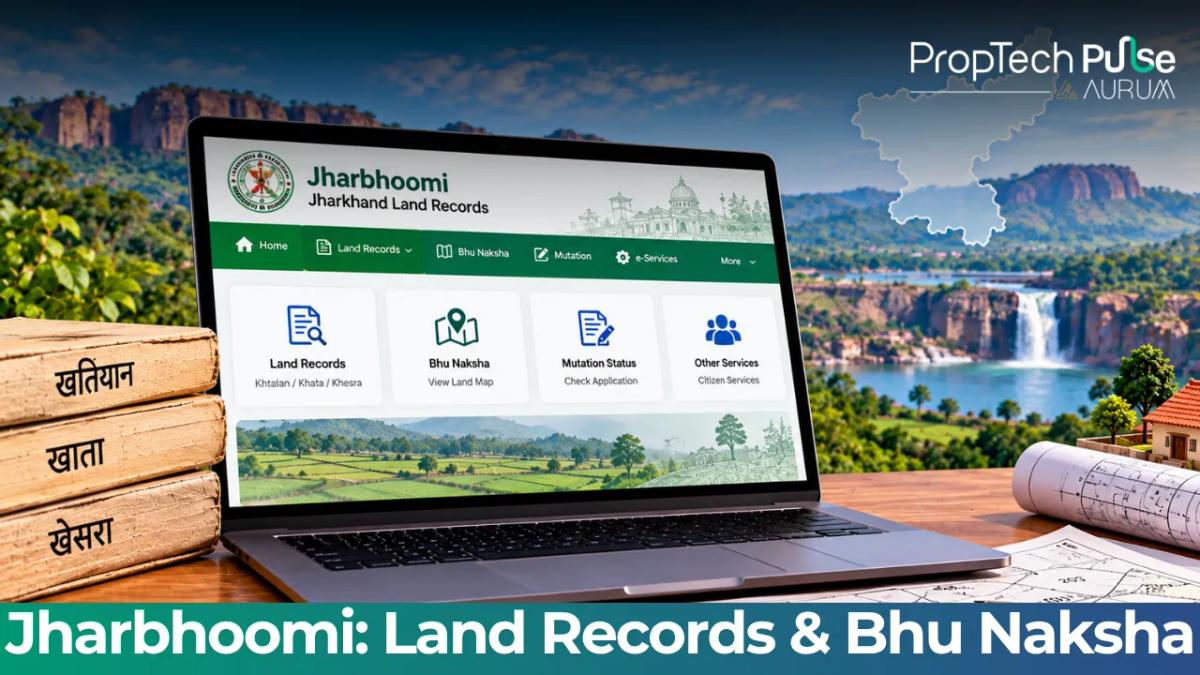
You can verify your property details online through Jharbhoomi, Jharkhand's unified digital land registry. The platform consolidated previously scattered bhulekh portals into one secure ecosystem. Pulling up Apna Khata (Record of Rights) or checking jharkhand bhu naksha plots for boundary disputes now happens on the centralised Vasudha platform. Downloading a certified copy of the jharbhoomi register 2 for a home loan takes just a few clicks.
What is Jharbhoomi and What Data Does It Hold?
Quick answer
Jharbhoomi is Jharkhand's official digitised land registry hosted on the Vasudha platform. It stores Apna Khata (ownership records), Jharkhand Bhu Naksha (plot maps), and Register II (transaction history) in one place, replacing older offline bhulekh jharkhand processes. Access the live portal at https://jharbhoomi.jharkhand.gov.in.
Jharbhoomi acts as the primary source of truth for three critical components. Buyers no longer need to queue at separate tehsil offices just to see who owns a piece of land.
Beyond basic ownership sheets, the portal also displays Khesra War Vivaran, breaking down specific survey numbers and area measurements. Providing raw numerical data backs up the broader ownership tables. Hosting everything on Vasudha aligns spatial maps perfectly with textual ownership claims, fixing historical mismatches between physical boundaries and paper deeds.
How to Check Your Jharkhand Land Record Online (Apna Khata)
Accessing your Apna Khata extract requires one of three search parameters. Log into the official portal and find the 'Land Record' menu on the left sidebar.
- Search by Owner Name: Click the 'By Owner Name' tab. Enter the owner's exact name, select the village, tehsil, and district, then hit 'Search'. Pick your name from the drop-down results to generate the extract.
- Search by Khasra Number: Enter the exact survey ID. Choose the Ward, Village, and District. This pulls the precise RoR extract tied to that plot while avoiding common spelling errors in rural registries.
- Search by Khata Number: Use this if you know the larger holding identifier. Enter the Khata number, followed by the Ward, Village, and District, to view the consolidated family or individual ownership table.
Secure Source Only: Ensure the URL always ends in `.jharkhand.gov.in` or `.nic.in`. Third-party aggregators frequently charge fees for data that Jharbhoomi provides completely free of cost.
Understanding Documents: Apna Khata vs Register II vs Map
While many people use the terms interchangeably, each document serves a distinct purpose in property due diligence and bank underwriting. Knowing the difference between these saves you from getting rejected during the final valuation phase. A typical discussion on how cybersecurity protects digital land record databases shows why you should rely strictly on the government portal to pull these sensitive files.
Apna Khata (RoR)
This is the standard Record of Rights. It confirms who holds the present marketable title, categorises whether the land is agricultural or non-agricultural, and flags any prior encumbrances or registered charges. If you see 'C' (cultivation) or 'O' (ownership) listed, those are the active rights holders.
Register II (Panji 2)
Often called the 'panji', Register II acts as a historical ledger for every plot within a village. Because it tracks previous owners and historical tenancy agreements, it reveals hidden clauses, such as rent-sharing obligations or restrictive covenants, that could complicate a sale. When you search for jharbhoomi register 2, you are looking at this lineage. Investors buying inherited land should pay close attention here, as unresolved joint-heir disputes almost always surface in Panji 2.
Khesra War Vivaran & Area
This section breaks down the physical dimensions tied to the survey numbers. It explicitly lists the measured area and boundaries, acting as the numerical counterpart to the visual map you see later.
How to View the Jharkhand Bhu Naksha (Plot Maps) Online
Spatial verification happens here. In cases where verbal boundary disputes arise or informal constructions creep past property lines, the jharkhand bhu naksha settles the argument by overlaying plot shapes onto satellite imagery.
- Head straight to the 'Bhu Naksha' module on the dashboard.
- Select the 'Map Search' option rather than text search.
- Pick the District, Block, and Village. If you have the Khasra number, type it directly into the search bar.
- The map opens with your plot highlighted in yellow against adjacent properties in white.
- Click the plot to pull up the corresponding Khesra War Vivaran right next to the map view.
Zooming out lets you see how the plot connects to roads, drainage lines, and neighbouring societies. This gives a practical sense of location that pure text records cannot provide. Always zoom until you confirm the plot does not overlap with a public reserve or another family's extension wall.
Full List of Districts Supported on the Jharkhand Bhu Naksha Portal
Vasudha has systematically rolled out digitisation across Jharkhand's five administrative divisions. Currently, all districts listed below are fully integrated and searchable on the live portal:
- Palamu Division: Palamu, Garhwa, Latehar
- North Chotanagpur: Chatra, Hazaribagh, Koderma, Giridih, Ramgarh, Bokaro, Dhanbad
- South Chotanagpur: Lohardaga, Gumla, Simdega, Ranchi, Khunti
- Kolhan Division: West Singhbhum, Saraikela Kharsawan, East Singhbhum
- Santhal Pargana Division: Jamtara, Deoghar, Dumka, Pakur, Godda, Sahebganj
If you are buying outside these locations, the local land reform office still maintains paper-based files that haven't been migrated digitally yet.
Documents Required from Jharbhoomi to Apply for a Home Loan
Bankers in Jharkhand don't just want proof that you own the land; they want assurance that the land will retain its value and stay mortgageable. Banks typically ask for the following extracts sourced directly from Jharbhoomi or the local revenue office to start their technical assessment.
| Document Name | Why Lenders Require It | Valid For Application Window |
|---|---|---|
| Apna Khata (RoR Extract) | Confirms the seller's legal standing and checks for existing liens, litigation, or pending dues. | 60–90 days from application date |
| Register II (Panji 2) | Shows historical ownership and exposes tenancy rights or unregistered agreements that could delay disbursement. | No strict expiry, but recent entries matter most |
| Bhu Naksha Extract | Cross-references the physical site with legal boundaries to prevent collateral overlap with public spaces or other families. | Useful during the physical inspection phase |
| Lagaan / Tax Payment Receipt | Proves there are no arrears against the property, ensuring the bank takes a clear-title asset. | Must cover the immediately preceding year |
| Total Expected Fee & Time | Most extracts are free via the portal; official hard copies cost ₹50–₹100 each and take 24 to 48 hours. | N/A |
Before you apply, verify that the land has received Non-Agricultural (NA) conversion status if it sits in a zone zoned purely for farming. Use an EMI calculator for home loans to plan your monthly payments. A quick eligibility calculator then shows exactly how much property you can afford.
How to Track Mutation Status and Pay Lagaan Online
Updating your name on a land record isn't automatic. You must apply for a formal 'mutation' (Dakhil Kharij). Using the Jharbhoomi tracking module, you can monitor whether your request has passed the Village Level Officer, Block Office scrutiny, and Tahsildar approval. Knowing how Proptech systems connect with government land record databases allows real estate advisors to pull these status updates quickly, but checking the portal yourself guarantees nothing slips through the cracks.
Using the direct 'Pay Lagaan' gateway built into the system, you can settle outstanding dues instantly. Enter your Khata or Khasra details to identify amounts, verify accuracy, and complete payment via net banking, debit card, or UPI. Generating a digital receipt instantly saves you from travelling back and forth to the tax office. Regularly updating your records prevents unexpected hold-ups later, making any eventual sale much smoother.
Before You Close the Deal
Never rely solely on the seller's word or a printed brochure when purchasing land in Jharkhand. Print the Apna Khata and Bhu Naksha yourself, compare the Khasra numbers against the physical survey markers on-site, and ensure the Register II matches the names on the sale agreement before signing. A few extra days spent cross-verifying everything on Jharbhoomi protects your capital far better than a rushed signature.
Frequently asked questions
What is Jharbhoomi and how do I login?
Jharbhoomi is the official digital land registry for Jharkhand, managed by the Department of Revenue and built on NIC's Vasudha software. To login, visit https://jharbhoomi.jharkhand.gov.in, click 'Login', and enter your registered mobile number along with the OTP sent to your phone. You can then select the specific service you need, such as viewing Apna Khata or downloading a Bhu Naksha map.
How can I check my Jharkhand land record online?
You can verify any land record jharkhand owner possesses by navigating to the 'Land Record' tab on the homepage. You have three options: search by owner name, search by Khasra number (survey ID), or search by Khata number. Once you input the correct district, block, and village details, the system pulls up the Record of Rights extract showing current ownership, land classification, and any active encumbrances.
What is the difference between Apna Khata and Register II?
Apna Khata is the current Record of Rights that proves who holds the title today. Register II, also known as Panji 2, is a historical ledger that tracks every past transaction, tenancy agreement, and rent shift attached to that specific plot. Lenders request Register II because it exposes hidden clauses or joint-heir disputes that might not appear on the current ownership sheet, making the sale legally complicated if ignored.
How do I download the Bhu Naksha map online?
Navigate to the dedicated 'Bhu Naksha' module on the dashboard and select 'Map Search'. You can either type in the exact Khasra number or drill down manually by selecting the district, block, and village from the dropdown menus. The interactive map will highlight your plot in yellow. From there, you can zoom in to check boundaries against roads or neighbours, and click the plot icon to print a PDF version of the extract for your records.
How can I pay my land revenue (Lagaan) through Jharbhoomi?
The portal includes a direct 'Pay Lagaan' gateway. Enter your Khata or Khasra details to identify the outstanding dues, verify the amount, and complete the payment using net banking, debit card, or UPI. The system generates a digital receipt instantly upon successful transaction. Retaining these online receipts eliminates travel to the tehsil office and provides immediate proof of compliance when selling or applying for loans.
Enjoyed this blog article? Visit PropTech Pulse for more interesting blogs.





Ask Pulse Ai anything about real estate

Unlock the Latest in Real Estate
News, Infographics, Blogs & More! Delivered to your inbox.