New Launch - India Real Estate Report 2026.

Services
Knowledge Hub
Resources
Tools

Ask Pulse Ai
©PropTech Pulse 2025, All rights reserved.


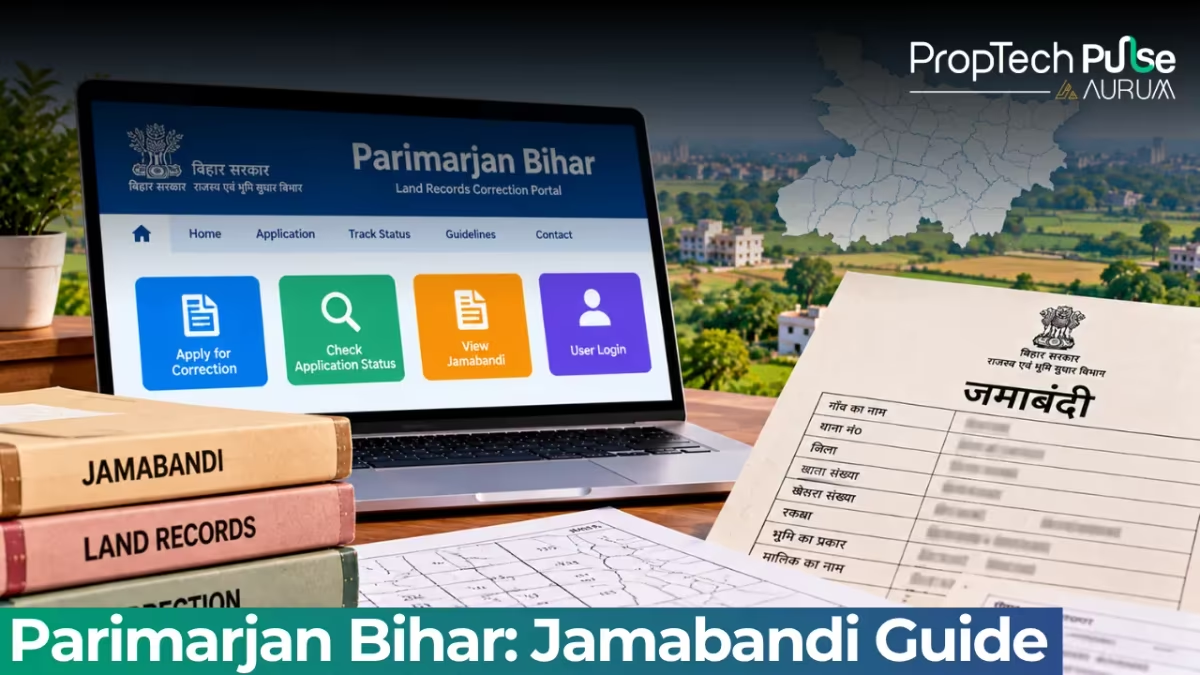
You buy a plot or inherit a family home in Bihar. Months later, you pull up the digital Jamabandi to check your title, and something is wrong.
Your name is misspelled, the khasra number points to a neighbour's field, or the mutation that transferred ownership was never recorded. This happens often because digitisation speed sometimes outran accuracy.
The Bihar government expects this. Under the Department of Revenue and Land Reforms, they built Parimarjan Plus specifically to fix errors in the digitised Jamabandi register.
It sits inside the wider khatauni land record ecosystem, and it handles everything from spelling mistakes to missing inheritance entries.
Built inside Bihar Bhumi Online, the platform separates standard ownership transfers from data corruption fixes. While Dakhil-Kharij mutations move legal title, Parimarjan targets entries ruined by scanning errors or bad initial data.
The confusion often stems from mixing up two separate processes. Standard ownership transfers go through the Dakhil-Kharij mutation system, which legally moves rights from a seller to a buyer.
Parimarjan sits entirely outside that legal chain. It does not create new ownership; it merely repairs the typographical wreckage left behind by years of manual transcription.
When Bihar began migrating its century-old paper registers to digital databases, clerks processed thousands of entries daily. Fatigue inevitably caused names like 'Lal' and 'Kala' to swap places, or hectares to be typed as decimals. The portal exists because the government recognises that accurate records are useless if they contain foundational lies.
What is Parimarjan Plus?
Quick answer
Parimarjan Plus is the Bihar government's online portal for correcting errors in the digitised Jamabandi (land revenue record). Any resident or legal heir can file a change request for misspelled names, wrong khasra numbers, or missing mutations. You upload supporting documents, get an acknowledgement number, and track progress until a lower inspection office verifies the entry.
Three buckets handle most claims: typos in personal details like dates of birth, mismatched plot identifiers, and valid mutation orders that never synced to the live record.
You do not need a developer account or a broker to use it. The form accepts inputs from any citizen, provided you can back the claim with documents. Think of it as an administrative eraser before you have to drag the matter to a revenue court.
Pro tip Always screenshot the acknowledgement page immediately after submission. Paper trails vanish when portals crash, and your support ticket will die without that reference number.
Documents Required for Bihar Land Record Correction
The portal rejects half-empty uploads. Every correction triggers a mandatory affidavit, and the type of proof changes depending on what you are fixing. Keep your scanned files under 1 MB each, PDF format preferred.
| Document | Purpose |
|---|---|
| Affidavit (Shath Patra) | Mandatory declaration stating the original error and the correct information. Must be notarised or stamped by a First Class Magistrate. |
| Jamabandi Extract (Old) | Proof of the current incorrect entry. Helps reviewers locate the exact line item to modify. |
| Aadhaar Card (Owner/Raiyat) | Accepted for address changes, father's name corrections, or age/dob updates. Only the front side is needed. |
| Mutation Receipt / Court Order | If ownership changed via inheritance, gift, or sale but the computer still shows the previous owner, attach the approved Dakhil-Kharij order or succession certificate. |
| Encumbrance Certificate | Optional but recommended when disputing area or plot boundaries. Confirms the true transaction history. |
| Total files needed | Minimum 2 (Affidavit + one primary proof) |
The affidavit is where most people stumble.
Stamp it with a Notary or Sub-Divisional Magistrate. State your name, address, and the affected village block. Quote both the existing and correct details clearly.
A plain self-declaration without an official seal gets auto-rejected by the clerk checking the batch uploads.
File preparation matters more than applicants usually expect. Scanners attached to older printers often produce greyed-out PDFs that optical character recognition systems reject automatically.
Run your scans through a dedicated tool that boosts contrast to pure black and white before uploading. Name every file clearly using your own name and the document type, such as 'Rajesh_Kumar_Affidavit.pdf'. The portal's backend sometimes mishandles files named 'scan001.jpg', pushing your application to the bottom of the queue until a human manually sorts it. Taking thirty seconds to clean up your attachments saves weeks of administrative back-and-forth.
How to Apply on Parimarjan Plus
The portal lives at parimarjanplus.bihar.gov.in. Navigation shifts occasionally, but the core workflow stays fixed. Follow these clicks exactly.
Step 1: Access the Rectification Form
Log into your registered account using mobile OTP or email credentials.
On the dashboard, click परिवर्तन अनुरोध (Change Request) or the green arrow beside the Mutation header.
If you cannot find it, the main landing page offers a direct "Apply Now" button that routes to the same form.
Step 2: Enter Location and Plot Details
Select your District (जिला), Block (ब्लॉक), and Village (ग्राम) from the cascading drop-down menus.
Type in your Khasra/Khatauni number exactly as it appears on your old paper Jamabandi.
The system cross-checks against the Bihar Land Portal database and flags if the combination does not exist.
Double-click before moving on.
Step 3: Describe the Error and Upload Files
You will see fields asking for the nature of the correction.
Tick the appropriate box (Name, Father's Name, Area, Date of Birth, or Ownership Transfer).
In the free-text description, write the discrepancy in simple English or Hindi. Example: "Existing Jamabandi shows father's name as 'Ramesh Kumar'. Actual father's name is 'Rameshwar Kumar' as per school certificates."
Click the upload button for Supporting Document. Select your signed affidavit and secondary proof.
Repeat for additional attachments. The file size limit is strict; compress if necessary using an online PDF compressor.
Step 4: Finalise and Save the Acknowledgement Number
Review all entered data once more.
Submit the form.
The portal generates a unique token or acknowledgement number.
Capture a photo of your phone screen showing this number.
Without it, you cannot file a follow-up complaint or check future progress.
Before hitting the final submit button, cross-check the pre-populated fields against your physical khatauni copy. The system auto-fills your name, father's name, area, and plot number based on the initial search.
If it pulls the wrong parcel, the correction request will attach itself to someone else's land entirely. You must manually edit those fields to match your exact situation.
Leaving a mismatched name or area code guarantees an automatic rejection by the lower inspection office. Treat the review stage as your last chance to catch a data entry error before it becomes permanent.
Land record mutation works on the same backend infrastructure, which means the clerks handling Parimarjan requests are usually the same staff managing standard ownership transfers.Expect similar turnaround times once the file lands at the local Tahsil office.
How to Check Your Parimarjan Application Status
Go back to the homepage and select "Track Application" or "Search Status".
Enter your District and paste the Acknowledgement Number generated at submission.
The result panel displays one of three states:
- Submitted: Clerk has not yet verified the documents manually.
- Under Verification: Lower inspection officer or revenue assistant is visiting the site or cross-checking old registers.
- Approved/Rejected: A digital order has been appended. Approved cases sync back to the main Bhumi Online Jamabandi within 24 hours.
Rejected orders list the reason, usually related to poor scans or insufficient proof.
Processing typically takes 15 to 30 days, depending on village workload.
Delays hit six weeks during peak filing windows, often right after festival seasons when families rush to consolidate property.
Patience helps more than repeated refreshes.
Important Contacts and Troubleshooting
Upload glitches happen.
Sometimes the captcha loops indefinitely, or the browser blocks the PDF uploader entirely.
Switch browsers (Chrome works best), disable ad-blockers temporarily, and try again.
If the portal remains broken or your status sits at "Submitted" past 45 days, escalate directly:
- Helpline: +91 18003456215 (Toll-free, Mon–Sat, 9 AM to 6 PM)
- Email: emutationbihar@gmail.com
Attach your acknowledgement screenshot and document copies when emailing.
Subject line must read: "Parimarjan Application Tracking – [Your Name] – [District] – [Ack Number]"
Generic complaints get routed to general inbox queues and sit there longer than legitimate queries.
Physical escalation remains a fallback when the digital gateway completely locks you out. Local Tahsil clerks handle Parimarjan batches alongside standard mutation requests, meaning a face-to-face conversation often resolves stuck applications faster than email.
Visit the village-level revenue officer responsible for your block. Bring a printed copy of your acknowledgement receipt and carry your original Aadhaar card. Simply walking into the office while the clerk is processing the batch forces an immediate status update. Digital portals can crash during server maintenance windows, but human oversight never officially stops.
Before You File: A Quick Decision Rule
Parimarjan solves data errors cleanly.
If your Jamabandi shows the wrong spelling, missed inheritance, or a calculation mismatch that a simple piece of paperwork fixes, submit the form immediately.
Digital corrections cost nothing and avoid bureaucratic travel.
A boundary dispute or suspected forged transfer falls into a completely different category. When a neighbour claims the line moved, or you suspect someone erased you from the record, Parimarjan will not touch it.
Revenue officers will dismiss these as disputed titles.
Book a consultation with a property lawyer and prepare for litigation instead of clicking submit.
This kind of friction is why performing thorough property due diligence before purchasing land always pays off.
Catching discrepancies early saves months of portal scrolling and physical visits.
Always run a quick query on the National Judicial Data Grid or state e-courts portal to confirm no pending litigations exist on the plot. A clean digital record means very little if a chakka case is already tied to the land.
Sources
- Parimarjan Plus Official User Manual: Detailed technical form layout and field definitions (accessed October 2026)
- Parimarjan Plus Portal: Live tracking page and application dashboard URLs (accessed October 2026)
Frequently asked questions
What is Parimarjan Plus?
Parimarjan Plus is a dedicated online portal run by the Bihar Department of Revenue and Land Reforms. It allows residents to request corrections to errors found in the digitised Jamabandi, such as misspelled names, wrong plot identifiers, or missing mutation entries. The system processes these requests digitally before routing them to local revenue offices for final verification.
Who can apply for Parimarjan Bihar?
Any legal owner (Raiyat), legal heir, or authorised representative can file a correction request. There are no income caps or geographic restrictions within the state. Buyers who recently acquired land should use the form immediately if they notice a typo in the new title deed. Do not wait for the seller to correct it yourself.
What documents are required for Bihar land record correction?
You must upload a notarised affidavit declaring the error and the correct details. Pair this with either an old Jamabandi extract, an Aadhaar card for identity fixes, or an approved mutation order if ownership changed but the digital record did not. Each file must stay under 1 MB. Scanned copies on white background work best for OCR processing.
How long does the Parimarjan application approval take?
Typically between 15 and 30 days once submitted. The local inspection officer visits the spot or checks archives, then updates the master database. Delays happen during heavy filing periods, pushing timelines toward six weeks. Regularly check your tracking tab using the acknowledgement number to monitor movement.
Can I track my Parimarjan application status online?
Yes. Visit the track application page on the official website, enter your district and the unique acknowledgement number given at submission. The system returns current status (Submitted, Under Verification, or Approved). If stuck past 45 days, email the support address with your tracking details attached for manual escalation.
Enjoyed this blog article? Visit PropTech Pulse for more interesting blogs.





Ask Pulse Ai anything about real estate

Unlock the Latest in Real Estate
News, Infographics, Blogs & More! Delivered to your inbox.