New Launch - India Real Estate Report 2026.

Services
Knowledge Hub
Resources
Tools

Ask Pulse Ai
Services
FOR BUYERS & RENTERS
FOR REAL ESTATE DEVELOPERS








Refer other Connectors &
Multiply IncomeRefer other Connectors
& Multiply Income
Refer KuberX & earn
commission on every
loan they get
disbursed.


Scan & Download
©PropTech Pulse 2025, All rights reserved.


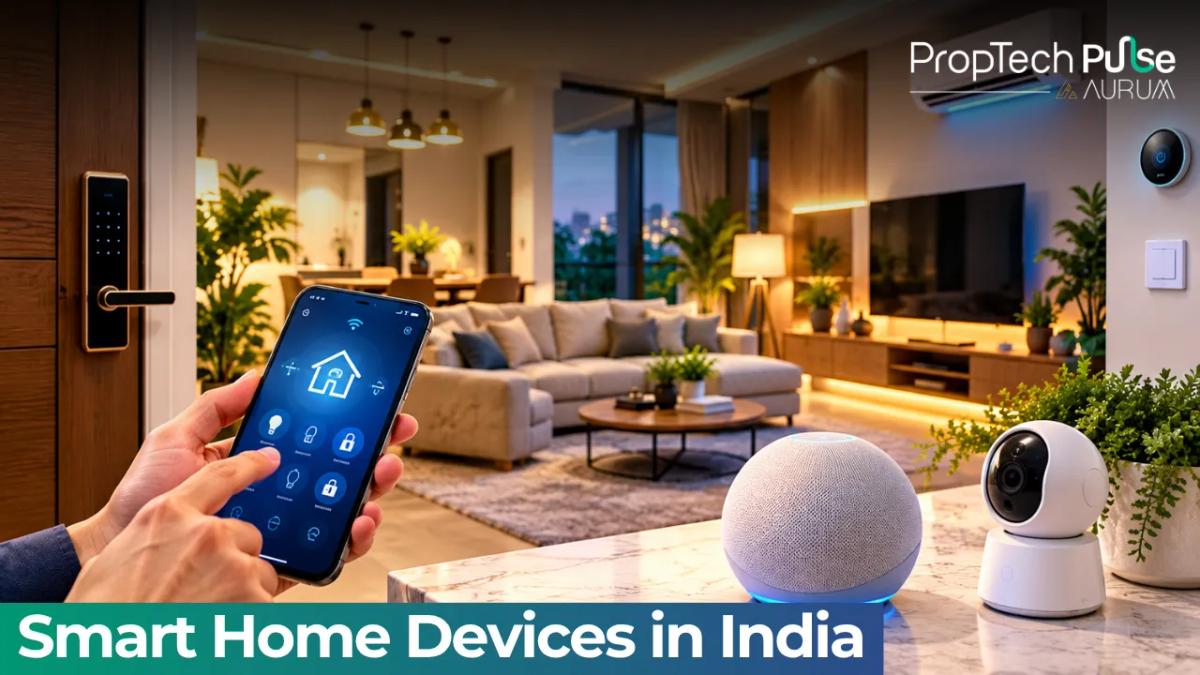
Smart home devices are easy to over-buy. Half the gadgets in the shop are toys, and a few genuinely change how a flat feels to live in. This guide sorts the two, with rupee figures and the wiring problems that catch Indian homes out.
It is written for someone buying a flat, moving into a rental, or wondering whether a builder's "smart home" tag is worth paying extra for. Where prices or availability move fast, they are marked to check.
Smart home devices worth buying first
Quick answer
Start with the cheap devices that fix a daily annoyance: smart plugs, an infrared remote for the AC, a few bulbs and a video doorbell. Wait on locks, full-home switches and robot cleaners until you know how you live in the flat and which app ecosystem you'll stay with.
The best first buy among smart home devices is whatever you already forget or fight with. Leaving the geyser on, hunting for the AC remote, not knowing who rang the bell while you were out.
A smart plug turns a geyser, water purifier or fan into something you can schedule or switch off from your phone. An IR controller does the same for a split AC. Both cost little, need no electrician and move with you when you change flats.
Next comes the video doorbell. It shows you the delivery person, records visitors and lets you talk from the office. Lights come after that. They look impressive, but bulbs alone rarely change your life.
For the wider picture of how connected devices fit into buildings, the Pulse guides on IoT in real estate and IoT for smart buildings go deeper.
What they cost in India
These are approximate street-price ranges, not quotes. Brands, sales and taxes move them, so treat them as planning numbers.
| Device | What it does | Approx. price | Needs |
|---|---|---|---|
| Smart plug | Schedules and remote-switches any plug-in appliance | ₹700 to ₹1,500 | Wi-Fi, no wiring |
| Smart bulb | Dimming, colours and scenes from an app | ₹500 to ₹1,200 each | Wi-Fi or a hub, no wiring |
| IR AC controller | Controls a split AC or TV from the phone | ₹1,500 to ₹3,500 | Wi-Fi, line of sight to the unit |
| Video doorbell | Live view, visitor alerts and two-way talk | ₹5,000 to ₹15,000 | Wi-Fi, a power source or battery |
| Indoor or outdoor camera | Home monitoring and recording | ₹2,000 to ₹6,000 | Wi-Fi, power, storage plan |
| Smart switch or module | Turns fixed lights and fans smart | ₹1,500 to ₹4,000 per point | Wiring changes, often a neutral wire |
| Smart door lock | Fingerprint, code or app entry | ₹10,000 to ₹30,000 | Door fitting, a fallback key |
| Hub or speaker | Ties devices together and takes voice commands | ₹2,500 to ₹10,000 | Wi-Fi, power |
Source: author's estimate of typical retail bands .
Take a sensible starter set for a 2BHK. Four plugs at about ₹1,000 come to ₹4,000, six bulbs at about ₹700 to ₹4,200, and two AC controllers at about ₹2,000 to ₹4,000. Add one doorbell at about ₹8,000 and one speaker at about ₹5,000. The total is ₹25,200.
That is a small sum next to the flat itself, but not next to the running expenses of a new home. If the flat comes with a smart package, compare the builder's price to this number before agreeing. The interior design guide also helps you plan switch and socket positions before the walls are finished.
Retrofit or pre-wired: the wiring question
Plug-in devices need nothing but a socket. Smart switches are different, and this is where Indian homes get awkward.
Many smart switches need a neutral wire at the switch box. In a lot of Indian flats the box carries only the live wire, so the switch can't power itself. Ask your electrician to open a switch box before you buy a dozen modules.
Modules that sit behind the existing switch avoid some of that, but they need enough depth in the box, and cramped metal boxes are common. If you're still at the finishing stage of a new flat, get the electrician to run neutral to the switch boxes and add a few spare conduits. It costs little then and a lot later.
Rule of thumb: Buy plug-in devices first, switches only after an electrician has checked the boxes. Wiring you do before the walls are painted is cheap. Wiring you redo after is not.
Wi-Fi, Zigbee and Matter: keeping devices compatible
Most smart home devices sold in India are Wi-Fi ones, and they are the simplest. They connect to your router and an app, no hub needed. The catch is that a flat full of them can crowd a basic router, and each brand often wants its own app.
Zigbee and similar hub-based devices use a small separate network. They are steadier when you have many devices, but you need a hub, and mixing brands takes more effort.
Matter is the newer standard meant to let devices from different brands work under one app. It is still rolling out. Support differs by device type, so check the box for the Matter logo and read what it covers.
Pick one ecosystem, whether that is Google Home, Amazon Alexa or Apple Home, and buy devices that state support for it. Mixing three ecosystems is how a smart home turns into three apps and a family argument.
If the builder offers a smart home package
Builders in premium projects sometimes pitch "smart home ready" flats. Ask what that word covers: conduits and neutral wires only, or a working system with a hub, sensors and an app.
Then ask who services it after handover, what the warranty is and whether you can add or swap devices. A closed system tied to one vendor can become useless if that company stops supporting it.
Anything promised should sit in the specifications annexure of your agreement, not in the brochure. The luxury apartments guide and the property buying guide help you weigh these extras against the price.
Now the money angle most buyers miss. Say a ₹2 lakh smart package is folded into the flat's price and you finance it at 8.5% over 20 years. The extra EMI is about ₹1,736 a month (₹2 × ₹867.8), so over 240 months you pay roughly ₹4.17 lakh, of which about ₹2.17 lakh is interest.
The devices themselves will be replaced long before the loan ends. Use the EMI calculator on your own numbers, and think twice about financing gadgets for two decades.
Smart devices for a rented flat
Renters should pick smart home devices that leave with them. Smart plugs, bulbs, IR controllers, a clip-on doorbell and battery cameras all qualify. Skip anything that needs drilling, rewiring or a change to the main door unless the landlord agrees in writing.
Keep receipts and original bulbs and switches. If you do swap a switch, put the old one back before you move out. The Pulse note on first-time flat renting covers other checks worth doing before you sign.
What goes wrong
- Power and internet cuts. Cloud-only devices stop when the broadband does. A small UPS on the router keeps the basics alive.
- Too many apps. Each brand's app is fine alone. Ten of them are not.
- Privacy. Cameras and voice devices collect personal data. Read the permissions and check where footage is stored. Data rules are still catching up with the technology, as the note on how technology is changing real estate shows.
- Support ending. Some vendors drop old devices. Prefer brands with a track record and open standards.
- Resale. Smart gear rarely adds much to a flat's price. Treat it as a comfort purchase, not an investment.
How to decide what to buy
Buy for a problem you already have, not for a feature list of smart home devices. If you can't name the daily annoyance a device fixes, leave it in the shop.
Begin with plugs, an AC controller and a doorbell for under ₹15,000. Live with them for a month. Add lights next.
Consider switches, locks or a builder's package only after an electrician has checked your wiring and you have chosen one ecosystem. If you're still choosing between homes, read the PropTech trends explainer to see which tech features are becoming standard and which are extras.
Frequently asked questions
Do smart home devices work during a power cut or when the internet is down?
Only partly. Lights, plugs and cameras that depend on Wi-Fi go quiet when the router loses power, and a cloud-only device stops responding when the broadband drops. A router on a small UPS covers short cuts, and devices that also work manually or locally keep the basics running.
Can I install smart home devices in a rented flat?
Yes, if you stick to plug-in and stick-on devices: smart plugs, bulbs, IR remotes for the AC, a video doorbell that clips on and a battery camera. Avoid anything that needs rewiring or drilling unless the landlord agrees in writing.
How much does a basic smart home setup cost in India?
A starter kit for a 2BHK with bulbs, plugs, AC controllers, a doorbell and a speaker lands around ₹25,000 on the ranges used in this guide . Full wired automation with a pre-planned system costs far more and is best quoted by an installer.
Is it better to buy a flat that is already wired for smart devices?
Sometimes. Pre-wiring saves you from chasing conduits later, but the benefit is real only if the system is open, works with common apps and can be serviced after the builder leaves. Ask for the brand, the warranty and what happens if the vendor shuts down.
Are smart home cameras and locks safe to use?
They are as safe as the account and app behind them. Use a strong unique password, turn on two-step login, update the firmware and keep cameras out of bedrooms. Read what the app collects before you install it.
Enjoyed this blog article? Visit PropTech Pulse for more interesting blogs.



Ask Pulse Ai anything about real estate

Unlock the Latest in Real Estate
News, Infographics, Blogs & More! Delivered to your inbox.