New Launch - India Real Estate Report 2026.

Services
Knowledge Hub
Resources
Tools

Ask Pulse Ai
©PropTech Pulse 2025, All rights reserved.


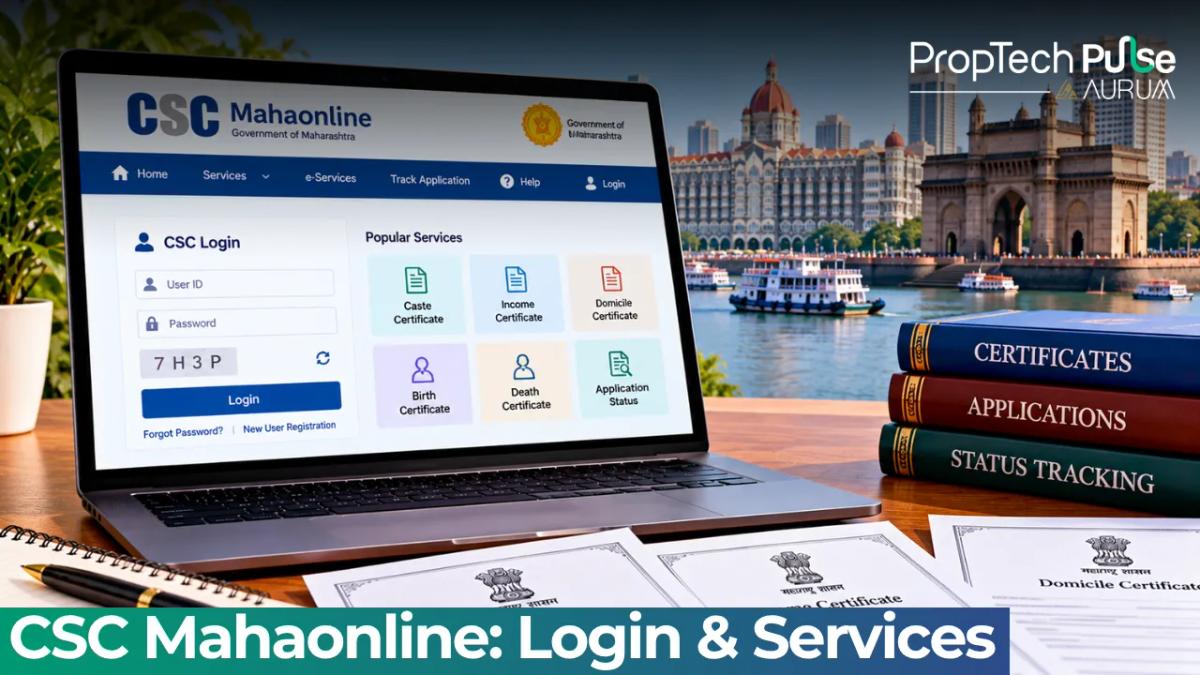
The single biggest reason people bounce off the CSC portal in Maharashtra isn't a broken website—it's confusion over which URL actually opens the right dashboard. If you're looking for income certificates, domicile proofs, or land record extracts, you need the Aaple Sarkar portal, not the base MahaOnline directory.
CSC Mahaonline functions as the umbrella e-governance programme for the state, but citizens interact with it through 'Aaple Sarkar'.
Navigating it requires knowing exactly where to register, how to log in, and where to find files once the district office approves them. Below is the clean path through the system, covering every stage from creating your account to troubleshooting why your PDF won't open.
What is CSC Mahaonline and Which URL Should You Use?
Quick answer
Maharashtra uses Aaple Sarkar as the main portal for citizen services. Visit aaplesarkar.mahaonline.gov.in to apply for income, domicile, and caste certificates online. The main gateway site, mahaonline.gov.in, serves as an overview hub, but the transactional work happens inside Aaple Sarkar.
CSC stands for Centre for Civil Society, though it operates as a national network of common service centres. In Maharashtra, the entire architecture sits under the state's Mega ICT Programme. Understanding this hierarchy stops you from hitting dead ends immediately.
mahaonline.gov.in acts as the overarching landing page. It showcases policies, infrastructure plans, and development statistics for analysts and researchers. Clicking links here rarely leads to the service form you actually need. Navigate straight to aaplesarkar.mahaonline.gov.in. That address hosts the secure dashboard where your applications live.
This distinction matters when you encounter third-party aggregators on search engines. Many private finance sites redirect traffic to random corners of the government web.
Sticking to the .gov.in extension guarantees you are working on the official server. The portal provides over 536 distinct services ranging from property tax assessments to railway bookings.
You don't need physical CSC centres for basic digital requests, making it far faster than queuing at a local revenue office. For deeper dives into property documentation workflows, reviewing a property legal verification checklist alongside your portal tasks saves hours of back-and-forth later.
CSC Mahaonline Login Guide
How to Register as a New Citizen
Registration does not happen on the Aaple Sarkar home screen. You must head to the registration microsite to create credentials. Enter your active mobile number, verify it via SMS OTP, and set a strong password.
The system automatically pulls Aadhaar details, so the spelling and address on your ID card must align perfectly. Any discrepancy triggers an instant rejection flag at the district tehsil level. Once the profile loads, the account activates within minutes.
mahaonline login Steps for Existing Users
If you have used the portal previously, skip the registration page entirely. Most users navigate through the main state gateway and hit the blue 'Login' button in the top right header bar.
Input your registered mobile number or email, followed by your password. The platform runs on Single Sign-On technology, meaning one credential set grants access to every linked departmental workspace.
If the dashboard freezes after you hit enter, switch browsers. Firefox tends to handle the authentication encryption smoother than aggressive Chrome privacy modes on older hardware.
CSC Mahaonline login for VLE/Kiosk Operators
Operators running rural kiosks do not share the consumer pathway. They require the Vision Language Entrepreneur backend console designed for heavy throughput and bulk processing.
Access demands specialized operator IDs provisioned directly by the district project coordinator. These terminals enforce tighter security protocols, often requiring smart-card insertion for financial movements.
General citizens should ignore these technical instructions and focus on the dashboard pathways outlined above.
List of Mahaonline Services Available
Navigating a menu packed with hundreds of categories feels overwhelming until you understand how the government structures them. Services break down into four broad buckets that align with daily life and property management.
Locate your department group first, then drill into the sub-category. Revenue files sit alongside tax inquiries, while education stipends nest within social welfare.
Using this map eliminates aimless scrolling. You may also find value in understanding IGR Maharashtra document search tools to cross-reference your property status against independent government databases.
| Department / Category | Typical Services Offered |
|---|---|
| Revenue & Civil Supplies | Income, Domicile, Caste, Nomination, Birth/Death certificates |
| Land & Property Records | 7/12 extract, Mutation status, Land tax assessment, Encumbrance data |
| Social Welfare & Pensions | Senior citizen pensions, Disability aid, Widow benefits, PMAY subsidies |
| Utilities & Public Services | Electricity bill payment, Metro rail tickets, RTO fee collection |
| Total Active Service Lines | 536+ |
Property developers and local brokers heavily utilize the land records cluster. While you cannot alter ownership titles purely through the website, pulling current ownership maps removes the guesswork from pre-purchase due diligence. Cross-checking these entries with the official CSC Mahaonline database ensures your paperwork matches land registry claims exactly.
How to Apply and Track Your Application
The digital workflow cuts out physical file movement, but it still requires disciplined uploads. Start by selecting your target service from the homepage grid.
Verify the document checklist twice before gathering scans. Accepted formats usually cap file sizes below 2MB in JPEG or PDF variants.
Uploading oversized or blurred attachments is the leading cause of silent rejections, leaving applicants staring at an unchanged status page. Double-check compression settings and upload clarity before sending anything.
Once you hit 'Submit', the system instantly generates a unique Application ID. Copy this code into your own records immediately.
You will never interact with the portal using your phone number again after this step. That code becomes your permanent tracking key. Return to your main dashboard and open the 'My Applications' tab to monitor movement.
The interface displays a color-coded line moving through Submitted, Under Verification, Approved, and Finalized stages. District clerks process files during standard business windows.
A status sitting on 'Under Verification' for forty-eight hours simply means the batch hasn't cleared yet. Check back late evening, as senior approvals routinely finalize after hours.
How to Perform mahaonline certificate download
Approvals trigger an automatic transfer to your personal repository. Locate the 'Download Documents' widget on the left-hand sidebar menu.
Select the finished application from your history, and the encrypted PDF renders immediately. The digital signature stamped onto these files holds identical legal standing to a traditional wet-ink seal across banks, courts, and registrar offices.
You may generate unlimited self-printed copies. Property agents and bank loan officers accept plain laser prints as long as the pixelated seal remains legible. Avoid photo captures of the screen, since scanners reject low-resolution smartphone snaps at verification counters.
Troubleshooting Common Issues
Government servers face predictable traffic spikes, turning minor coding quirks into major roadblocks. Mapping the error codes speeds up resolution significantly.
- Pop-up blockers refuse to release the secure window: Adjust your browser security settings to allow pop-ups exclusively for the .gov.in domain. Modern ad-blocking extensions aggressively flag legitimate government encryption layers.
- The PDF viewer crashes upon launch: Switch away from the default browser previewer. Install a dedicated PDF engine like Adobe Acrobat Reader and force the download option. Legacy templates often lack web-viewer compatibility.
- Files stuck permanently at 'Under Verification': If the timeline stretches beyond fourteen days without movement, the queue has likely overwhelmed the district clerk. Visit your nearest common service centre and demand a local escalation flag against your Application ID. Center-based interventions jump the queue ahead of generic digital requests.
- Document rejection loops: The OCR scanning tool fails silently on poorly cropped scans. Ensure all four corners of your submitted files are visible and free of shadows.
Need Human Support? Toll-free assistance for Maharashtra portal issues is available at 1800-120-8040 or 1800-212-4040. Call early morning for shorter hold times.
Before you start your next application
Pacing prevents missed deadlines during critical moments like house sales or mortgage closings. Digital systems depend on physical human verification, so district teams conduct ground checks to validate rural claims.
Build a ten-day buffer into your timeline before the receiving party actually demands the paper.
Always confirm the precise layout requirements with your lender or buyer beforehand; a flawlessly generated certificate gets rejected if it violates the recipient's specific formatting demands.
Treat the CSC Mahaonline system properly, and it accelerates paperwork. Ignore its timelines, and it creates artificial bottlenecks.
Frequently asked questions
How to login to CSC Mahaonline portal?
Citizens simply enter the Aaple Sarkar URL into their browser and click the login button in the upper right corner. You will be prompted to type your registered mobile number and password. The system validates your credentials against your initial registration profile. If you recently changed devices or updated your browser software, clear your temporary cookies before attempting access again.
What services are available under Mahaonline?
The portal categorises more than 536 functions into broad sectors like revenue administration, civil supplies, social welfare, and utility billing. Property buyers primarily access land records extraction, mutation queries, and various income or domicile verification forms required for financing. Local residents use the platform heavily for pension disbursements and municipal tax payments.
How to download certificate from Aaple Sarkar portal?
Locate the My Applications section on your main dashboard once the verification status switches to Approved. Click the direct download icon beside the specific document to retrieve the encrypted PDF file. The file bears a government digital signature valid for banking and legal use. Print the final version cleanly on standard white bond paper.
What is the Maharashtra Mahaonline helpline number?
Support is reachable via the designated toll-free lines 1800-120-8040 and 1800-212-4040. These channels connect directly to the state technical helpdesk for severe portal crashes or unresolved application errors. Calling outside peak morning hours drastically reduces connection wait times during weekdays.
How to track application status on CSC Mahaonline?
Access the tracking feature by logging into your dashboard and selecting the My Applications tab. The interface displays a real-time pipeline showing whether your file sits in the submission queue, awaits officer review, or clears for publication. Use your generated Application ID as your primary reference code whenever calling customer support regarding these statuses.
Sources
- Aaple Sarkar Portal: Service listings and navigation paths (accessed October 2026)
- CSC State Portal Registration: User account setup guidelines (accessed October 2026)
Enjoyed this blog article? Visit PropTech Pulse for more interesting blogs.




Ask Pulse Ai anything about real estate

Unlock the Latest in Real Estate
News, Infographics, Blogs & More! Delivered to your inbox.