New Launch - India Real Estate Report 2026.

Services
Knowledge Hub
Resources
Tools

Ask Pulse Ai
©PropTech Pulse 2025, All rights reserved.


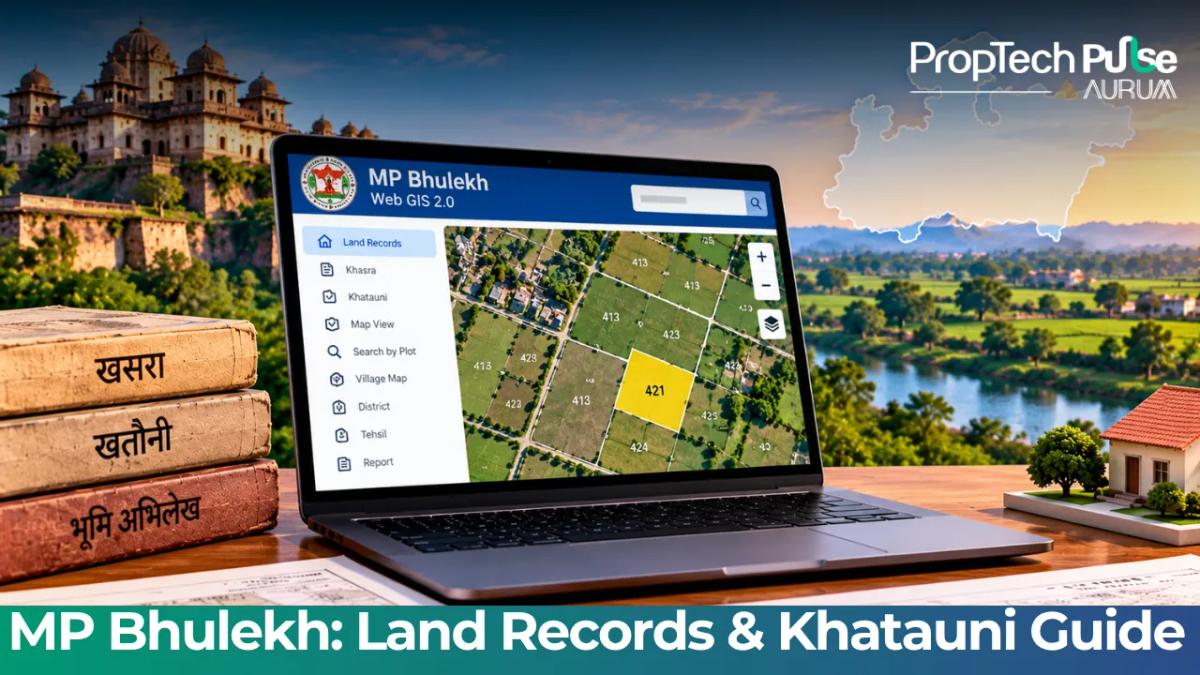
Verifying the official mp bhulekh record is the first step for any buyer. Previous owners relied on physical files at local tehsils. Manual typos and unauthorized stamps slipped through those paper trails easily. Madhya Pradesh fixed these gaps by migrating data to Web GIS 2.0.
Hunting for legacy mpbhulekh gov shortcuts now routes you to the centralised dashboard. The upgrade sharpens accuracy but changes navigation patterns. Exact plot identifiers prevent failed searches. This guide splits free reference checks from legally binding document requests.
What is MP Bhulekh and which mp land record do you actually need?
Quick answer
To check an mp land record for free, log into the WebGIS 2.0 portal and use the village dropdown or ULPIN for your digital naksha and ownership details. Paid access covers certified copies like Form B-1. You only need these for court cases or property transfers. Request them inside the logged-in application menu.
The term mp bhulekh simply means the State Land Record Office. Practically, it houses the database managed by the Commissioner of Land Resources Management. Check whether you need a plot-level survey number or an owner-level registry before logging in. Each document serves distinct transaction purposes.
Decoding Khasra vs Khatauni vs B-1 vs P-2
Government portals default to English translations of local terms. Physical Gatha books historically allowed forged entries during private sales. Digital lockdowns stop these alterations instantly. Unauthorized changes surface clearly when you load a fresh extract.
| Document Name | Purpose | When you need it |
|---|---|---|
| Khasra (Gatta) | Records the physical area, soil type, and cultivation status of a specific plot within a village. | Verifying boundaries and confirming there are no unrecorded encroachments before purchasing a plot. |
| Khatauni (B-1) | An owner-level registry listing all plots held by a specific family or individual under a single account. | Establishing current ownership history and identifying co-owners during inheritance disputes. |
| P-2 Extract | A consolidated summary of mutations applied and approved for a particular plot over time. | Tracing the chain of title to ensure the seller was the last person to hold valid possession. |
| Naksha (Village Map) | Digital cadastral map generated by Web GIS 2.0 overlaying exact GPS coordinates on traditional plot sketches. | Visually confirming that a plotted boundary matches the official revenue map. |
Hindi labels dominate the interface. Remember that भू-अभिलेख means land record, गटांक marks your parcel number, and खातादार identifies the registered owner. Skip manual village selects if you hold the unique plot code. Jump straight to the quick search box.
How to check mp khasra khatauni online using the new portal
Switching to Web GIS 2.0 replaced flat database lookups with interactive map layers. Boundary verification now works without tehsil visits. Search logic adapts slightly from older systems.
Free search: navigating by District, Tahsil, and Village
Start by selecting your district from the top menu. The system loads sub-regions instantly. Type the exact village name carefully to bypass identical taluka names. The platform then renders a colour-coded grid for individual surveys.
Click a coloured block to open the relevant Khasra extract. The initial preview stays completely free. It displays the owner name, plot dimensions, and crop data.
Zoom into the Naksha tab to compare plot shapes against nearby roads. Early detection of map-to-ground discrepancies saves months of litigation.
Fast tracking your plot with ULPIN or Samarga ID
Manual dropdowns stall when a village holds hundreds of plots. Use the Unique Land Parcel Identification Number instead. Locate its 14-digit alphanumeric code on your sale deed, enter it into the main search bar, and isolate that exact parcel immediately. Remote investors prefer this fast-tracking method.
Viewing and printing the Digitised Naksha
Once your plot appears on the GIS layer, click the Naksha icon. The system generates a vector graphic ready for PDF download.
Mobile browser screenshots fail because pixelation obscures legal scale ratios. Print the native file large enough to overlay against vendor site plans.
When to request a digitally signed copy (and what it costs)
Many buyers assume every lookup should yield a printed PDF. The portal separates casual viewing from formal certification.
Free previews prove nothing during disputes. Municipal offices will reject unauthenticated screenshots immediately.
The logged-in application workflow on WebGIS 2.0
Obtain a legally binding document by registering an account first. Navigate to the e-Services tab and pick Certified Copies. Fill out the digital Form B-1 carefully.
Specify exactly which records you require, like the owner ledger or mutation extract. Mention your request purpose clearly in the remarks box.
Attach scanned copies of your identity proof and a brief declaration. Upload a scanned agreement for sale if requesting documents for a third party. Submit the application to trigger the payment stage.
Payment steps and certificate download
Certified copy fees depend heavily on the revenue circle. Expect to pay between ₹30 and ₹100 via the secure gateway.
Your authenticated PDF drops into the dashboard folder within two working days. It carries a digital cryptographic signature and a verification QR code.
Scan it instantly to confirm authenticity. Download the file immediately since you will need it for upcoming municipal approvals.
How to apply for property mutation in MP
Checking the public record only confirms current titleholders. Changing that name requires formally applying for mutation. The state continues assessing property taxes under the previous owner until approval arrives. Refuse loans against the asset until this step clears.
Logging into the Revenue Case Management System (RCMS)
Mutations moved off the Bhulekh portal years ago to reduce backlogs. Access the state's dedicated Revenue Case Management System instead. Log in with your mobile number or email. Select Mutation Application and fill in Form 6.
The form demands precise inputs matching your executed sale deed. List the exact transfer date, consideration amount, and transaction type. Attach the stamped deed, updated municipal tax receipt, and a seller NOC.
Run a full property due diligence checklist before filing Form 6. Verify the title is clean. Confirm Madhya Pradesh stamp duty and registration charges were fully paid to the treasury.
Processing times for RCMS applications range from thirty to sixty days locally. The Revenue Inspector physically verifies boundaries before the Sub-Divisional Magistrate grants digital approval. Your Khatauni extract updates automatically to solidify your legal standing.
Before you finalise the purchase
The transition to Web GIS 2.0 cleaned up decades of messy data entry. It cannot fix a seller passing off disputed farmland.
Always treat the mp bhulekh portal as a starting point. Combine digital extracts with a physical boundary inspection.
Cross-reference the mutation sequence in Form P-2. Ensure the seller's name matches exactly on the Aadhaar card and sale deed. Clearing these mismatches before handing over token money prevents stuck transactions.
Frequently asked questions
Frequently asked questions
How can I check my land ownership in MP?
You can verify ownership by logging into the WebGIS 2.0 portal and entering your ULPIN or navigating manually through your District, Tahsil, and Village. The resulting Khasra extract displays the registered owner's name alongside the plot dimensions. For a complete history of ownership changes, request the P-2 mutation extract which traces the title back through previous transfers.
What is MP Bhulekh Web GIS 2.0?
It is the state's upgraded digital platform that moves beyond basic text tables to overlay GPS coordinates directly onto cadastral maps. By tying land boundaries to exact latitude and longitude values, the system eliminates vague descriptive lines and allows buyers to visually compare official maps against physical site markers remotely.
Is MP Bhulekh free or paid?
Basic reference checking and map viewing are completely free for anyone visiting the website. However, obtaining a digitally signed certified copy of the Khasra or Khatauni requires a nominal payment ranging between 30 to 100 rupees. These authenticated PDFs carry cryptographic signatures necessary for legal filings and bank loan applications.
How to apply for property mutation in MP?
Property mutation is handled separately on the Revenue Case Management System portal at rcms.mp.gov.in. Fill out Form 6 with your sale deed details, attach scanned proofs of tax payments and identity, and submit the application. A field inspector will physically verify the boundaries before the local magistrate approves the transfer.
What is the difference between B-1 and P-2 forms?
Form B-1 serves as an owner extract that lists every plot currently held by a specific individual or family under one account. Form P-2 acts as a chronological ledger for a single plot, documenting every mutation recorded over its history. Buyers typically need B-1 to prove current possession, while lawyers require P-2 to investigate past disputes.
Enjoyed this blog article? Visit PropTech Pulse for more interesting blogs.




Ask Pulse Ai anything about real estate

Unlock the Latest in Real Estate
News, Infographics, Blogs & More! Delivered to your inbox.