New Launch - India Real Estate Report 2026.

Services
Knowledge Hub
Resources
Tools

Ask Pulse Ai
©PropTech Pulse 2025, All rights reserved.


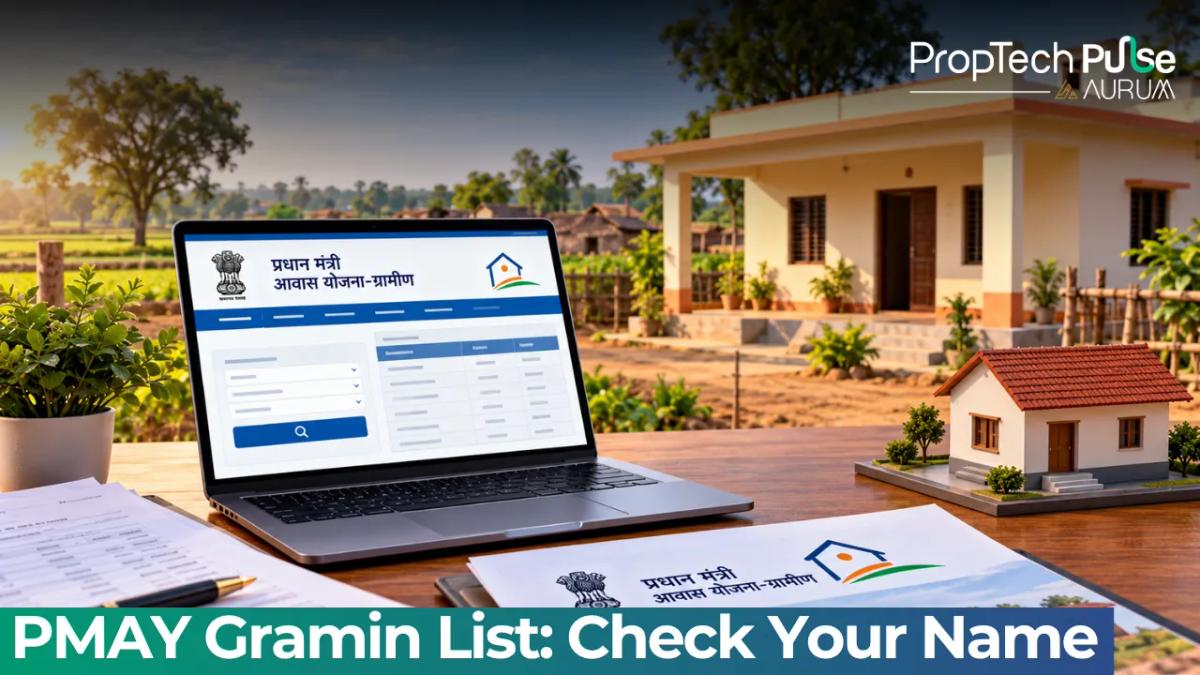
Finding your name on the PMAY-G registry works differently now. The legacy portals closed down months ago. All checks happen through pmayg.dord.gov.in today.
If your address does not show up, your household may have slipped past the 2011 SECC screening. Alternatively, your block simply hasn't uploaded targets to the central server.
The dashboard marks over 3.19 crore homes completed. That sits against a 4.95 crore national target. Payments move quicker than new family approvals in many transition zones.
We will walk you through verifying your registration, downloading the official panchayat PDF, and fixing stuck instalments right from the MIS tools.
How to Check Your Name in the PM Awas Yojana Gramin List
Quick answer
Find your name by selecting State, District, Block, and Gram Panchayat at pmayg.dord.gov.in. If your village is blank, you were likely filtered from the 2011 SECC census or are waiting in the new Awaas+ 2024 state rollout queue. Download the panchayat-specific PDF only.
Logging into the active portal
Visit https://pmayg.dord.gov.in to access the central beneficiary database. Old bookmarks pointing to the expired .nic.in domain throw server errors. Scroll down until you spot the Scheme Progress card. Tap it.
Most people stall here because they pick only state and district. The system forces deeper selection. You must drill down past the panchayat layer to reach the raw data grid.
Step-by-step filters and submit workflow
Follow this exact sequence to pull up the rural housing list:
1. Select your state from the drop-down menu.
2. Pick the relevant district.
3. Choose the block (community development block, not municipal corporation).
4. Select the Gram Panchayat.
5. Hit Submit.
A table loads instantly. It shows your name, house ID, and construction stage. Check the Status column carefully. Missing installation dates mean funds wait for field verification.
Blank rows signal rejection during the initial poverty screening. If your file went missing years ago, it usually points to exclusion criteria clashes rather than a technical error.
Exporting the Excel and PDF reports
Officials block bulk downloads to protect resident privacy. You can only export the view for your chosen Gram Panchayat. Use the drop-down filters to narrow your search.
After hitting Submit, click Download Report above the grid. The system creates a PDF or Excel sheet for that exact village council. Print the document. You can take it to the block development office to prove your registration for local bank accounts.
Understanding Your PMAYG Beneficiary Status
Your record shows a clear progression tracker. The grant never arrives as a single lump sum. Payments tie directly to construction milestones. Most delays stem from misunderstanding these stages.
| Status | What It Means | Typical Financial Milestone |
|---|---|---|
| Registered / Allotted | Name verified against exclusion/inclusion criteria. Earmarked a house. | No payment yet. Waiting for first stage construction report. |
| Sanctioned | Funds formally approved by the district nodal officer. Agreement signed. | First instalment released (usually ₹41,000 to cover cement and bricks). |
| Instalment Paid | Construction is underway. A supervising engineer has physically visited the site. | Second or third tranche transferred via Direct Benefit Transfer to your Aadhaar-linked account. |
| Complete | The house passed final inspection. Photos uploaded to the central portal. | Final instalment disbursed. Ownership formally acknowledged. |
Action Required: Do not confuse "Sanctioned" with "Paid." Your sanction letter proves eligibility, but the money sits in the treasury until a field supervisor visits your plot and clicks "Verified" on the monitoring app.
Why Your Name Might Not Appear Yet
Thousands of eligible rural households check the portal repeatedly and see empty fields. Usually, one of two structural reasons explains the gap.
The shift from SECC 2011 to the Awaas+ 2024 survey
The scheme relied heavily on the 2011 Socio-Economic Caste Census for years. Households that bought property, registered vehicles, or sent children to college after 2011 lost automatic eligibility. Fresh poor families had no entry route back then.
Policy changed last year. The Ministry of Rural Development replaced SECC 2011 with the Awaas+ 2024 survey for intake filtering. Social auditors now map remote villages to refresh the database.
If your state launched this round, the central database stays quiet for six to nine months. Raw data takes months to sync with national servers. You can track progress on your state housing page. For instance, reviewing parallel state government housing programs like Awash Vikas UP eligibility schemes shows how regional bodies manage separate intake queues.
Block-level target entry delays
Applicants hit friction here. Nodal officers cap monthly uploads to 200 names to match ground supervision, leaving your file waiting if the block office backs up.
Visit the RWA office monthly to check the queue. The central toll-free number offers no shortcuts against locked district limits.
Tracking Funds & Resolving Stalled Payments
Midway payment stops rarely blame government treasury gaps. Delays usually attach to physical certification bottlenecks or failed Direct Benefit Transfers.
Instalment schedules and FTO tracking
Every sanctioned file holds an FTO code. Enter that code under Payment History on the dashboard. The standard flow drops ₹41,000 upfront. Equal tranches follow once walls rise and roofs close.
Contact the District Project Officer if an FTO hangs unpaid for 45 days. Never start the next phase without written approval. Doing so invites instant blacklisting and halts all further processing.
UMANG app alternatives and search limits
Portal crashes during peak hours call for the UMANG mobile app. Type Pradhan Mantri Awas Yojana into the directory. UMANG accesses the identical backend MIS and routinely beats desktop traffic jams.
Skip third-party mirrors promising the rural housing list. They scrape dead archives and show outdated names. Trust only .gov.in addresses for live updates.
Because the government grant caps at ₹1.2 lakh in plain areas, you will need supplementary financing for larger projects. Exploring various types of home loans in India bridges that gap cleanly. Skip high-interest lenders altogether.
Match your Aadhaar, PAN, and ration card details across every database before applying. Banks reject mismatched paperwork fast. Review the first time home buyer guide to grasp how credit scores affect top-up approvals alongside your PMAY-G aid.
Draft the essential home loan documentation checklist early. Land mutation papers arrive quickly when prepared ahead of builder demands.
Next Steps Before You Spend Your Sanction Grant
Hold material purchases until FTO hits Partially Sanctioned on the portal. Starting early invites strict audit violations. Names missing the database despite meeting poverty norms require sarpanch intervention.
Demand your place on the block-level Awaas+ roster immediately. Showing up at the gram sabha forces manual corrections faster than emails. Always cross-check your bank account with the DBT standards published by the department to prevent bouncing payments.
Frequently asked questions
What is the new PMAYG website URL after pmayg.nic.in closure?
The legacy pmayg.nic.in domain has been permanently retired. You must access the central beneficiary database exclusively through https://pmayg.dord.gov.in and the reporting portal at report.pmayg.dord.gov.in. Any third party directing you to the old .nic.in address is using stale data that no longer reflects 2026 allotments or sanction approvals.
How to download PMAYG beneficiary list PDF for my village?
The central portal restricts bulk downloads to protect resident privacy. You can only export a list for your specific gram panchayat. After selecting your State, District, and Block, choose the Panchayat dropdown, hit Submit, and click the Download Report button above the results grid. This will give you a PDF or Excel sheet valid for local bank applications.
Why is my name not showing in PMAYG list?
Names disappear for three main reasons. You might be missing the original 2011 SECC poverty index cutoff. Alternatively, your district is still syncing the fresh Awaas+ 2024 survey data. Another possibility is that the block-level administrative target is exhausted, meaning your file is queued behind older applicants waiting for fund releases.
What happens if I was not surveyed under SECC 2011?
Households excluded from the 2011 socio-economic census generally cannot self-register online. The ministry has deployed social auditors under the new Awaas+ 2024 project to map these missed families. You must report your household to the local village secretary or sarpanch to trigger the fresh verification process before entering the central MIS.
How to check PMAY G instalment status online?
Locate your sanctioned file on the dashboard and note your Finance To Order (FTO) number. Enter that code in the Payment History tab. Money travels via Direct Benefit Transfer to your Aadhaar-linked account only after a district field engineer physically visits your plot and marks the construction milestone as verified on the mobile MIS app.
Sources
- Department of Rural Development (PMAY-G Dashboard): Live allotment, sanctioned, and completion counts; portal URL migration notices (accessed October 2026)
- UMANG Application Directory: Integrated MIS data access protocols (accessed October 2026)
Enjoyed this blog article? Visit PropTech Pulse for more interesting blogs.

Ask Pulse Ai anything about real estate

Unlock the Latest in Real Estate
News, Infographics, Blogs & More! Delivered to your inbox.