New Launch - India Real Estate Report 2026.

Services
Knowledge Hub
Resources
Tools

Ask Pulse Ai
©PropTech Pulse 2025, All rights reserved.


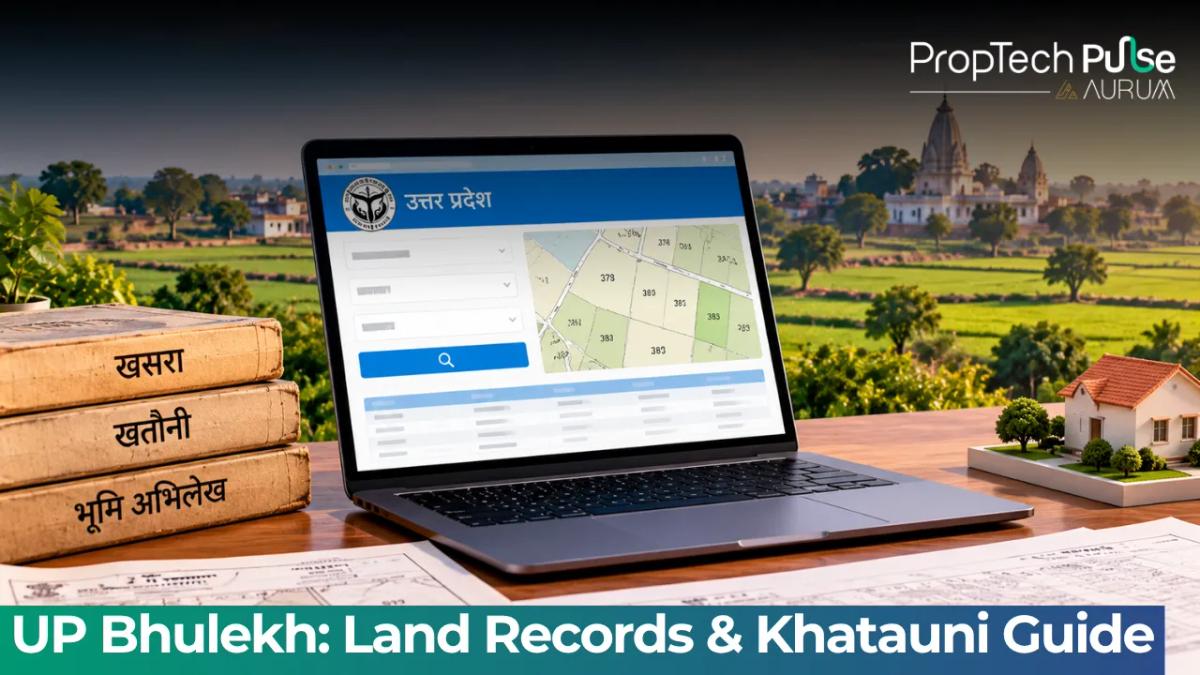
In Uttar Pradesh, many buyers hand over advance payments based solely on builder brochures or verbal assurances. That gamble ends abruptly when a bank demands proof of clear title or a boundary dispute surfaces. Relying on the UP Bhulekh portal is the fastest way to verify land ownership instantly. The system runs directly on the Uttar Pradesh Board of Revenue’s secure servers.
upbhulekh.gov.in acts as the central database for the state's digital land repository. It maps every plot, field and farm across the seventy-five districts into searchable ledgers. A prospective homebuyer can use these tools to turn opaque claims into verified data. A few clicks replace days spent circling local revenue offices.
This guide walks you through the exact steps to pull your up bhulekh khatauni records, extract ownership details, and cross-check those ledgers against visual maps. It also tackles the most common friction point: why your name isn’t showing up yet after registration, and how to push the process forward.
What is UP Bhulekh and why it matters for buyers
Quick answer
Bhulekh UP is the Uttar Pradesh government's official land records portal. Managed by the Board of Revenue, it lets citizens verify plot ownership, download Khatouni copies, and check crop details online using district, village and plot numbers.
The project runs under the Digital India Land Records Modernisation Programme. Its goal was straightforward: move physical paper logs into a centralized database where citizens can pull up property details without facing bureaucratic delays or unofficial fees.
Plotted developments outside major metros carry a higher fraud risk. Titles often get tied up in multi-generational inheritance disputes. Boundary lines shift when older agricultural plots get subdivided. A developer handing you a sale deed only proves an agreement exists. It does not prove the land is free from hidden liens or pending encumbrances.
Pulling the current up bhulekh khatauni for a specific village shows exactly who holds legal rights. You instantly see any outstanding loans flagged by the state treasury. More importantly, you catch area measurement errors before signing anything.
Difference between Khasra and Khatauni
Indian land terminology borrows heavily from historical accounting systems. Two terms show up on every screen: Khasra and Khatauni. Mixing them up leads to searching the wrong ledger entirely.
| Feature | Khasra (Khasra Number) | Khatauni (Account Number) |
|---|---|---|
| What it tracks | A single plot or agricultural patch of land. | An entire family account holding multiple plots. |
| Focus | Geography and boundaries. | Ownership and tax liability. |
| Why it matters | Tells you the exact shape and size of the plot you want to buy. | Tells you who owns the plot and what they owe the government in taxes. |
| Common mistake | Using the wrong Khasra number finds nothing. | Checking only the Khatauni hides plot-specific boundary issues. |
You will start by entering a Khasra number to find the right village map. Once found, scroll down to the holder section to verify names. If you are looking for khatauni nakal up copies, request the PDF that bundles these datasets together.
How to check UP land record online
Using the portal requires patience. The interface changes occasionally, but the navigation flow stays consistent. The site prioritizes speed over flashy design, which means you need to know your inputs before you click search.
Downloading the Khatauni Nakal UP copy
Open the main portal and select the 'View UP Land Records' option. You will be prompted to enter four things:
- District (e.g., Lucknow, Kanpur, Varanasi)
- Tehsil / Block
- Village Name
- Khasra / Gata Number (or Account Holder Name)
If you lack the Khasra number handy, some portals allow search by owner name. Results often get messy with common surnames, so stick to numeric identifiers whenever possible.
Once the result loads, view the data directly on-screen. Most users click the 'Download PDF' or 'Print' button to save the up bhulekh khatauni snapshot. Keep a digital backup of this file.
Important distinction: the standard download is a plain informational copy meant for basic checks. If you are applying for a home loan or filing a court case, the bank or judge requires a certified copy issued with a government seal. For certified copies, visit the local Tehsil office or the nearest UP Seva Kendra with the downloaded screenshot as proof of location.
Checking BhuNaksha: visual land maps
Numbers tell you who owns the land. Maps tell you where it actually sits. The Government of Uttar Pradesh runs a parallel portal specifically for aerial survey images called upbhunaksha.gov.in.
Builders frequently mark interior plots near the map edges to create fake road access expectations. Checking the satellite view kills that guesswork. Enter the exact Khasra number to overlay the plot's red border on the village grid. A quick site visit by a trusted agent will beat any screen check.
The critical missing link: mutation status
This gap trips up first-time buyers. You pay the builder and sign the sale deed at the SDM's office. Six months later, you check your up land record online. The old owner's name is still there. Your name is completely absent.
This happens because registering a sale deed and updating the revenue ledger are two separate administrative tracks. The Registration Department handles the ink. The Revenue Department handles the computer screen.
Don't trust the brochure Builder marketing maps often use approximate sketches. Always rely on the BhuNaksha overlay and the official Khatauni ledger to confirm actual dimensions before paying the booking amount.
How to track mutation status on UP Bhulekh
Look for a dedicated tab labeled 'Mutation Status', 'Namantaran', or 'Change of Ownership'. Enter the new applicant details. The portal will show whether the Taped Office has received the demand letter and if the Tahsildar has signed off on the transfer.
Mutation usually takes three to six months, driven by local district workloads. During this window, the previous owner technically holds the title on paper despite your signed deed. Lenders freeze full disbursements until this update clears. Withhold final settlement payments until the portal updates.
Uploading documents to the UP Bhulekh portal triggers the automated workflow. Need the exact paperwork to initiate this? Check our home loan documents checklist what you need to apply for the full lender requirements, since lenders will also ask for the mutation application receipt.
What to do if your record is wrong or stalled
Server load times spike during peak hours, causing slow responses or blank screens. Alternatively, the system might show a deceased relative as the active owner because no one filed the inheritance paperwork. Sometimes a builder sold the same plot to multiple families.
Use the portal's complaint module to flag incorrect records immediately. You will get a reference ID to monitor the fix. Online tickets move slowly, so call the Revenue helpline numbers on the footer instead. Speaking directly to the Computer Cell speeds things up dramatically.
For broader peace of mind, always run a complete property due diligence india checklist before signing any agreement, including verifying RERA registration if dealing with a commercial township.
Final checks before handing over payment
Check the latest Khatauni Nakal copy to verify the registered owner. Run the BhuNaksha map to cross-check physical boundaries against the builder's layout plan. Submit the mutation application personally the day after registration. Waiting for the promoter to file it guarantees a stall. Handle the paperwork yourself to protect your investment.
Frequently asked questions
How to download khatauni nakal UP online?
Navigate to the Get Khatauni section on the main portal. Input your district, tehsil, and village codes. Provide the specific Khasra or Gata number tied to your property. Once the data loads, click the print or download button to generate a free PDF. Remember that this plain copy works for basic checks but banks require a government-sealed version for loan approvals.
What is the difference between Khasra and Khatauni?
Think of a Khasra as a unique GPS pin for a single plot of land, detailing its exact boundaries and area. A Khatauni is the broader financial ledger linked to a family account that might own several different Khasras. When verifying a title, always check both to ensure the physical plot matches the correct ownership group on file.
Why is my name missing from the land records after signing the sale deed?
Signing a sale deed registers the transaction with the sub-registrar, but it does not instantly update the revenue department's database. The property undergoes mutation, a separate administrative process managed by the local tahsildar. This lag usually takes between three and six months across Uttar Pradesh, during which the previous owner still appears on public screens.
How can I verify plot boundaries visually on the UP Bhulekh portal?
Numbers on the ledger cannot prove physical alignment, which is why you must switch to the companion BhuNaksha platform. Use your Khasra number to pull up the high-resolution aerial map. The tool overlays your plot's red boundary lines directly onto satellite imagery. Comparing this digital map with a physical site walk eliminates boundary disputes caused by overlapping colonial maps.
Is checking land records on UP Bhulekh completely free?
Yes, viewing and downloading standard property summaries carries zero cost on the official portal. However, generating legally binding certified copies for court battles or bank loans requires visiting a local UP Seva Kendra. Those counters charge nominal fees for the revenue stamp and official government signature required to authenticate the document.
Sources
- Uttar Pradesh Board of Revenue, Bhulekh: Official portal data and operational guidance (accessed October 2026)
- BhuNaksha Uttar Pradesh: Aerial survey and overlay mapping guidelines (accessed October 2026)
Enjoyed this blog article? Visit PropTech Pulse for more interesting blogs.




Ask Pulse Ai anything about real estate

Unlock the Latest in Real Estate
News, Infographics, Blogs & More! Delivered to your inbox.