New Launch - India Real Estate Report 2026.

Services
Knowledge Hub
Resources
Tools

Ask Pulse Ai
Services
FOR BUYERS & RENTERS
FOR REAL ESTATE DEVELOPERS








Refer other Connectors &
Multiply IncomeRefer other Connectors
& Multiply Income
Refer KuberX & earn
commission on every
loan they get
disbursed.


Scan & Download
©PropTech Pulse 2025, All rights reserved.


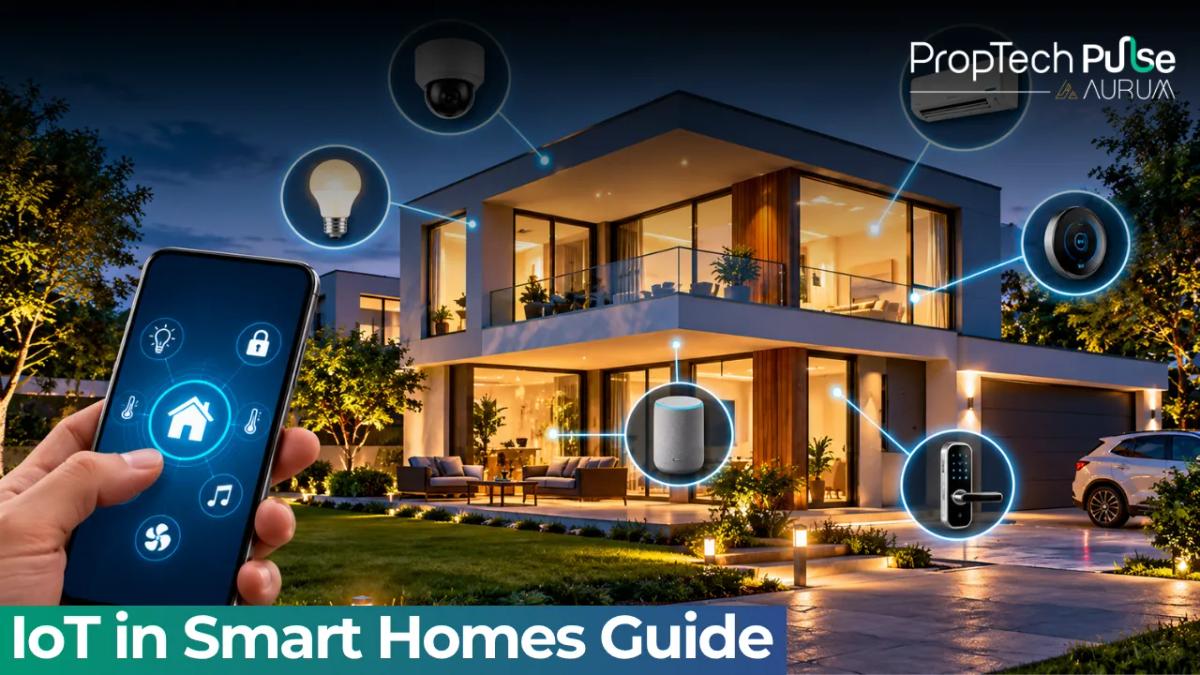
Switch on a light from your phone and a chain of small events fires. The app sends a message, a server or hub passes it on, and a chip in the bulb obeys. That chain is IoT in smart homes, and knowing its parts helps you buy better and fix problems faster.
This guide explains how the pieces connect, which wireless standard suits which job, what Indian homes add to the picture, and how to keep the whole setup secure. Prices and rules that change quickly are marked to check.
What IoT in smart homes means
Quick answer
IoT in smart homes means everyday devices, such as bulbs, locks and cameras, that carry sensors and a network connection. They report their state and take commands. A phone app, a hub or a set of rules usually ties them together.
A normal bulb does one thing. A connected bulb also knows whether it is on, can be dimmed, and can answer to a schedule or a motion sensor. The extra intelligence comes from the sensor, the chip and the network.
The idea is not new to real estate. Pulse has covered the larger picture in its guides on IoT in real estate and IoT for smart buildings. This page stays inside the home.
The four layers inside a smart home
Almost every setup, from one plug to a fully wired flat, has the same four layers.
| Layer | What it does | Examples |
|---|---|---|
| Devices and sensors | Sense the world or act on it | Motion sensor, door contact, smart bulb, lock, camera, energy meter |
| Connectivity | Carries the messages | Wi-Fi, Bluetooth, Zigbee, Thread, infrared |
| Gateway or hub | Translates between networks and holds local rules | Hub, smart speaker, a router with a built-in hub |
| Cloud and app | Stores accounts, runs remote access and updates | Brand app, voice assistant, cloud rules |
Source: author's summary of the usual IoT layers in consumer smart homes.
When something fails, work down the layers. A dead app screen with working local switches points at the cloud. A single dead sensor points at its battery or range. Everything offline at once usually points at the router.
Wi-Fi, Bluetooth, Zigbee, Thread and Matter
The wireless standard decides range, battery life and whether you need a hub.
| Standard | Needs a hub? | Strength | Watch out for |
|---|---|---|---|
| Wi-Fi | No | Simple setup and fast, good for cameras and plugs | Crowds the router and drains batteries quickly |
| Bluetooth LE | Sometimes | Easy pairing, low power, works close to the phone | Short range and limited remote access |
| Zigbee | Yes | Low power, builds a mesh as you add mains-powered devices | Needs a hub, and mixing brands can be fiddly |
| Thread | Needs a border router | Low power, self-healing mesh, designed for Matter | Newer, so device choice is still growing |
| Infrared (IR) | IR blaster | Lets an old AC or TV join without replacing it | Needs line of sight and gives no feedback on state |
| Matter | Works over Wi-Fi or Thread | Aims to make brands work under one app | Support differs by device type |
Source: author's summary of consumer protocols; check each product's box for supported standards .
Matter is a layer on top of Wi-Fi and Thread, not a replacement for them. In practice it should let you add a bulb from one brand and a sensor from another to the same app. Check the box before assuming.
Where IoT shows up, room by room
- Entrance. Video doorbell, door contact sensor and a smart lock report who came and when.
- Living room. IR controllers for the AC and TV, smart bulbs and a hub or speaker.
- Kitchen. Leak and smoke sensors, plus smart plugs for appliances that can be scheduled safely.
- Bathroom. Motion-triggered lights and a controller for the geyser.
- Utility and terrace. Water-level sensors for tanks and a leak sensor near the washing machine.
- Whole flat. A smart energy meter or plug-level monitor shows where the units go.
For the rules that make these devices act on their own, read the Pulse guide on smart home automation once it is live. For picking hardware and prices, the devices guide covers that.
What Indian homes add to the picture
Three local facts shape IoT in smart homes here.
Power cuts and voltage swings come first. A router and hub on a small UPS keep the network alive during short cuts, and surge protection keeps cheap adapters from failing early.
Wiring is second. Many older switch boxes have no neutral wire, which rules out several smart switches until an electrician adds one.
The third is shared infrastructure. In apartment societies, the broadband provider, meter room and common areas are not yours to change. Plan around your own flat, and ask the society before putting anything on shared walls or conduits.
The cost of always-on devices
Connected devices draw a little power all day. Take 15 devices at an assumed 1.5 W each. That is 22.5 W, or 16.2 units over a 720-hour month. At an assumed ₹8 a unit, it adds roughly ₹130 a month.
That is small, but it is not zero, and cheap plugs or hubs with poor power design can draw more. Look for a rated standby figure on the box. If you want to see the real number, an energy-monitoring plug on one device will tell you.
Security and privacy
Every connected device is a door into your network, so treat them like accounts, not appliances.
- Change default passwords and use a unique one per account.
- Turn on two-step login for the app and the voice assistant.
- Update firmware. Skip brands that stop issuing updates.
- Put cameras and guests on a separate network if your router allows it.
- Keep cameras out of bedrooms and bathrooms, and check where footage is stored.
India's Digital Personal Data Protection Act, 2023 sets rules for how companies handle personal data, but how it applies to a given device depends on the maker. Read the permissions before installing any app. The note on how technology is changing real estate gives the wider context.
Before you buy
Pick one ecosystem and one connectivity plan first. Then buy devices that state support for both. Mixed systems work, but each extra brand adds an app and a failure point.
If you rent, favour plug-in and battery devices. If you're buying or renovating, ask your electrician and designer to leave a neutral wire at each switch box, spare conduits, and a network point near the main door. The interior design guide and the interior design service page help you plan this before the walls are closed.
When a builder markets a "smart home" flat, check what is actually installed, who supports it and what the warranty says. Our property buying guide explains what to confirm in your agreement. For the wider tech picture, see PropTech trends.
Decision rule: start with two or three devices on one network, live with them for a month, and add more only when each new device fixes a real annoyance. A smaller system that works every day beats a big one that needs weekly fixing.
Frequently asked questions
What does IoT mean in a smart home?
IoT stands for Internet of Things: everyday objects with sensors and a network connection that can send data and receive commands. In a home, that means bulbs, plugs, locks, cameras and meters that you or a rule can control through an app.
Do all IoT devices need an internet connection to work?
No. Many work over the local network and only use the internet for remote access and updates. Devices that depend fully on a cloud server stop responding when the broadband fails, so check whether a product has local control before you buy.
Which protocol is best for a smart home in India?
Wi-Fi is the easiest start because it needs no hub. Zigbee and Thread suit homes with many battery sensors, since they use less power. Matter is a newer standard that sits on top and aims to make brands work together .
Are IoT devices in a home safe from hackers?
They can be, with care. Change default passwords, turn on two-step login, keep firmware updated and put cameras on accounts only you control. Cheap devices from unknown sellers that never get updates are the biggest weak spot.
How many IoT devices can a home router handle?
It depends on the router and how busy each device is. A basic router can struggle once the count reaches a few dozen, especially with cameras streaming. If devices drop off often, a better router or a hub-based network usually fixes it.
Enjoyed this blog article? Visit PropTech Pulse for more interesting blogs.


Ask Pulse Ai anything about real estate

Unlock the Latest in Real Estate
News, Infographics, Blogs & More! Delivered to your inbox.