New Launch - India Real Estate Report 2026.

Services
Knowledge Hub
Resources
Tools

Ask Pulse Ai
Services
FOR BUYERS & RENTERS
FOR REAL ESTATE DEVELOPERS








Refer other Connectors &
Multiply IncomeRefer other Connectors
& Multiply Income
Refer KuberX & earn
commission on every
loan they get
disbursed.


Scan & Download
©PropTech Pulse 2025, All rights reserved.


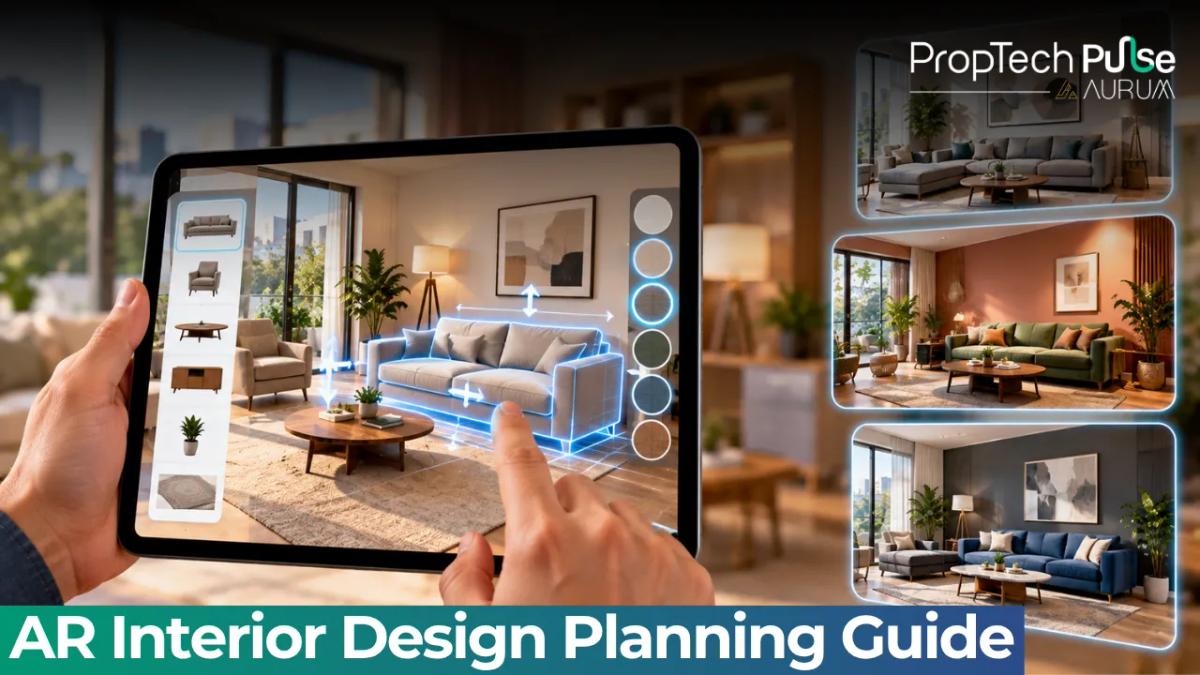
A sofa looks fine in the showroom and wrong in your living room. The mistake costs a delivery fee, a return fee and a month of arguing about where to put it. AR interior design lets you test the sofa in your own room first, using nothing but your phone.
This guide explains how AR works for interiors, a step-by-step way to use it in an Indian flat, where it fails, and when to bring in a designer.
What AR interior design means
Quick answer
AR interior design uses your phone or tablet camera to place virtual furniture, colours and fittings in your real room, so you can judge size, fit and style before buying. It works well for a first look. Confirm exact measurements with a tape before you order anything.
Augmented reality adds digital objects to the live camera view. Point your phone at an empty corner, pick a sofa from an app and it appears in the corner at roughly real size.
This is different from VR, which replaces your surroundings. For that side, read the Pulse guides on augmented reality in real estate and the AR/VR page.
What you can try with AR
| Task | How well AR handles it | What to add |
|---|---|---|
| Placing a sofa, bed or table | Good for size and rough position | Tape measure and a floor marking with masking tape |
| Trying wall colours | Rough idea only | A painted test patch viewed at morning and evening light |
| Checking curtains and blinds | Fair for length and drop | Exact window measurements |
| Viewing tiles and flooring | Limited, since texture and sheen are hard to show | A real sample in the room |
| Planning a full layout | Helpful for ideas | A floor plan with dimensions and a designer's review |
Source: author's assessment of typical consumer AR apps; results vary by app and phone.
Types of AR tools
Three kinds of apps cover most needs. Know which one you're using, because each has a different goal.
| Kind | Who makes it | Good for | Watch out for |
|---|---|---|---|
| Retailer or brand app | Furniture and home decor sellers | Seeing a product at real size before buying it | Shows only that seller's catalogue and pushes you to buy |
| Measuring app | Phone makers and independent developers | Quick room and furniture dimensions | Accuracy drops on plain walls and in dim light |
| Designer visualiser | Interior design software firms | Planning a full room with layouts and finishes | Can cost a subscription and take time to learn |
Source: author's grouping of common consumer AR tools; features vary by app.
Start with a measuring app and one retailer app. They are usually free, and they answer the question you probably have: will this fit?
A step-by-step way to use it
- Measure first. Note the room's length, width and ceiling height, plus door and window positions. A floor plan helps; the 2 BHK house plan guide shows a typical layout.
- Mark the floor. Use masking tape to outline where the furniture would sit. This is a low-tech check that AR can then confirm.
- Scan in good light. Open the app in daytime, move the phone slowly so it can detect the floor and walls.
- Place the item. Pick the product, rotate it and compare it against your tape outline.
- Walk around it. Check that doors open, passages stay clear and the AC and fan positions still work.
- Take screenshots. Share them with family or your designer for a decision.
A worked fit check
Take a living room that is 12 ft wide and 14 ft long. The sofa wall is the 12 ft side.
A three-seater is 7 ft wide and 3 ft deep. A coffee table is 4 ft by 2 ft. The TV unit is 1.5 ft deep.
Along the 14 ft length, add them up: sofa 3 ft, gap to the table 1.5 ft, table 2 ft, walking gap 3 ft, TV unit 1.5 ft. That is 11 ft, leaving 3 ft to spare. The layout fits.
Now swap in a larger L-shaped sofa that is 8 ft by 5.5 ft. The same sum becomes 5.5 + 1.5 + 2 + 3 + 1.5, which is 13.5 ft. That leaves only 0.5 ft in a 14 ft room, and the walking space has nearly gone. AR will show this quickly, so you avoid a ₹60,000 mistake.
Things to check in Indian homes
- Door swing and balcony doors. Make sure doors open fully with the furniture in place.
- AC and fan positions. Keep the cold air path and the indoor unit service space clear.
- Sockets and switches. Note where points sit before you plan a TV wall or bed.
- Beams and columns. They bulge into corners and break straight lines.
- Vastu preferences. Check the direction of beds, kitchens and prayer areas before you fix the layout.
AR cannot judge finishes well. For those, read the Pulse guides on choosing tiles for a living room and false ceiling design and cost. Doors have their own note on wooden colour paint.
Where AR gets it wrong
Tracking depends on the phone camera and the room. Plain white walls and dim light make tracking drift, so a sofa may seem to slide or change size when you move.
Colours on a screen shift with brightness and settings, so a grey that looks calm in the app may look cold on the wall. Product models can be simplified, so legs, stitching and finish rarely match the real item.
Also read the permissions. Many apps scan your room and send images to servers. Check what data the app stores before you use it in a bedroom.
AR or a designer?
Use AR for single decisions: a sofa, a bed, a rug, a wall colour. Use a designer when the job involves electrical points, storage, false ceilings, a modular kitchen or a full renovation.
The two work well together. Share your AR screenshots so the designer sees your taste on day one. The Pulse interior design guide explains the process, and the interior design service page shows how Pulse can help.
How to start
Decision rule: let AR narrow your choices, let a tape measure confirm them, and let a sample or showroom visit settle colour and finish. Never order made-to-measure furniture on an AR reading alone.
If you're buying a flat, run the same tests on the floor plan before you book. The note on loading factor helps you compare carpet area against what is claimed, and the property buying guide covers the other checks. If you're moving into a rental, pick pieces that fit and leave with you.
Frequently asked questions
What is AR interior design?
AR interior design uses your phone or tablet camera to place virtual furniture, paint colours or fittings in your real room. You see the item at its apparent size in your space before you buy or order it.
How accurate is AR for measuring a room?
Good enough for a first check, not for ordering made-to-measure items. Phone AR can be off by a few centimetres, especially in poor light or on plain walls. Confirm key dimensions with a tape before you pay.
Are AR interior design apps free?
Many retailer and brand apps are free, because they exist to sell products. Designer-grade tools usually charge a subscription. Check the pricing and whether your room data is stored before you sign up.
Can AR show how paint or tiles will look?
It can give a rough idea, but screens change colour and light shifts through the day. Test a paint patch on your wall and view a real tile sample in the room at morning and evening light before deciding.
Do I still need an interior designer if I use AR?
For a single sofa or a wall colour, probably not. For a full flat, a designer handles layout, electrical points, storage and budget, which AR does not. Use AR to share your ideas with the designer faster.
Enjoyed this blog article? Visit PropTech Pulse for more interesting blogs.





Ask Pulse Ai anything about real estate

Unlock the Latest in Real Estate
News, Infographics, Blogs & More! Delivered to your inbox.