

©PropTech Pulse 2025, All rights reserved.

What is annual energy use intensity (EUI) benchmarking?
Energy use intensity (EUI) is a building's energy use per unit of floor area per year, such as kilowatt-hours per square metre, and benchmarking compares it with similar buildings or targets, to see whether a building is efficient and where to improve.
What It Is
- To calculate EUI, add up a year's energy use from bills and meters, divide by the building's floor area, and compare the result with benchmarks for the same building type and climate, such as offices, malls, or hospitals, and with energy code and green building targets, so owners can see if a building uses more than it should.
- India's energy conservation code gives references.
How It Works
- Benchmarking helps to find buildings that waste energy, set targets, track improvement after upgrades, support green certifications, and report to investors and tenants, but the comparison must be fair, since use depends on hours of operation, climate, occupancy, and equipment, so data should be adjusted, and the quality of meters matters.
- One year's data may mislead.
What to Check
- Collect accurate energy data from meters and bills, measure the floor area consistently, choose suitable benchmarks, review the results, find the main uses such as air conditioning, set a target, plan upgrades, and repeat each year, and consider an energy audit, and share results with tenants.
- Use sub-meters for detail.
Accurate data come first, so collect a full year of meter data, use a consistent floor area, compare with suitable benchmarks, and repeat the exercise each year.
Insight Pulse
Uncategorized
IGRSUP Online: UP Property Registration & Index Search
Registering a property in Uttar Pradesh through the IGRSUP portal sounds technical until you break down the government software. You might be initiating a fresh registration or verifying ownership history using the igrs index. Knowing exactly where to click prevents rejected applications and wasted trips to the Sub Registrar Office. In this guide What Is IGRSUP And Why It Matters For UP Property Buyers How To Initiate Online Property Registration On IGRSUP Understanding The IGRSUP Index: How To Search Property Records Visit The Sub Registrar Office: Physical Verification Steps Common Reasons Documents Are Rejected At The UP Sub Registrar Office Frequently asked questions What Is IGRSUP And Why It Matters For UP Property Buyers Quick answer The IGRSUP portal is the official digital platform for completing property sales, mortgages, and gifts across Uttar Pradesh. It handles stamp duty payments, generates appointment slots, and permanently archives executed deeds on the government cloud. The State Stamps and Registration Department uses the Integrated Grant Registration System to digitise every sale, gift, mortgage, and lease across Uttar Pradesh. The platform operates under the Registration Act 1908 and the Indian Stamp Duty Act 1899. It moves your deed from initial data entry to digital execution, meaning you rarely visit a government office until the final signature stage. You pay the prescribed igrs up stamp duty directly within the interface. The tool generates a unique pre-registration number and secures a timed slot at your local Sub Registrar Office. Without this digital trigger, you cannot print the application form, calculate the exact market value, or lock in an appointment. Most failed registrations happen because buyers skip backend validation. They assume the department stores records locally. Everything lands in the central server immediately upon submission, which means accuracy at this stage saves weeks of follow-ups. How the IGRS UP Registration System Works The platform runs on three core stages. You input basic buyer and seller details followed by the property location and agreement value. The system pulls the ready reckoner value, applies the mandatory igrs up stamp duty rate for that district, and calculates the exact fee you owe. Once you pay online, the tool generates the application ID and redirects you to pick a Sub Registrar Office slot. After biometric capture and physical inspection at the office, the digital deed is executed and stored on the central cloud. That is the entire loop. You simply need to know where the options sit without losing your place. Check the maintenance calendar first. The IGRSUP backend undergoes scheduled upgrades that temporarily block logins. In September 2026, a major server migration moved operations to new hardware, meaning any unexpected downtime is usually routine. Avoid scheduling your SRO visit during announced outage windows to prevent wasting a paid appointment. How To Initiate Online Property Registration On IGRSUP You start the process on the main dashboard by selecting 'Online Registration'. The menu asks for a mobile number to receive an OTP. Use a number linked to Aadhaar, because that identifier carries over to the final execution phase. Once verified, you enter a complex password meeting strict rules: eight characters minimum, one uppercase letter, one lowercase letter, one special character, and one digit. Try something like PrUp2026@ and save it somewhere safe. A locked account forces you to start the whole chain over. Creating Your Pre-Generated Application ID After setting the password, the next screen collects transaction specifics. Select the correct deed category from the drop-down, such as 'Sale Deed', 'Gift Deed', or 'Mortgage Deed'. Leave nothing blank in the demographic fields. The system validates the applicant's PAN card automatically against the income tax database. If the format does not match, the application stalls instantly. Fill the consideration amount in rupees exactly as written in the drafted agreement. Any mismatch triggers a physical enquiry at the SRO. When you hit the next button, the portal creates a unique pre-generated application ID. Print that page immediately. Without this ID, you cannot proceed to document generation. Filling out the Property Details Dropdowns Location mapping drives the next layer of calculations. Every rural and urban plot follows a strict hierarchy that the portal enforces rigidly. Choose your District first. Next comes the Tehsil. Then toggle between Urban and Rural area types. Urban plots require you to select the Ward number or Colony name. Rural land demands the Village name, Pargana, and specific Khasra Plot numbers. These selections set the base rate the software applies. Choose the wrong Tehsil and the calculated tax jumps to an incorrect district slab. You will have to reopen the form and lose your appointment slot. Essential items to carry when visiting your appointed Sub Registrar Office Requirement Details / Conditions Signed Agreement Draft Three original copies, matching the online consideration amount exactly. Identity Proof (Buyer & Seller) Aadhaar cards or Voter IDs. Biometric devices scan these directly. Witnesses Two adults with valid identity proof present physically at the counter. Previous Ownership Papers Last registered sale deed or succession certificate showing clear title. Appointment Receipt Digital confirmation printed from the portal, showing the allotted time slot. Understanding The IGRSUP Index: How To Search Property Records Once a deed hits the system, it becomes permanently visible in the public search engine known as the igrsup index. Buyers use this tool aggressively to confirm previous ownership chains, spot unauthorized liens, or verify whether a specific parcel actually exists in the registry. Searching via the igrs index takes seconds. It also exposes critical gaps that brokers often miss. Checking Past Registrations Using The Igrs index Open the 'Search Registered Property' tab on the homepage. Enter either the Application Number, Document Type, Year, or the registered owner's name. The output delivers a snapshot of past deals involving that identifier. Look closely at the 'Execution Status' column. A pending status means the paper trail stops at the SRO door, leaving the property legally vulnerable. A completed execution confirms the deed reached the registrar's desk and was digitally signed. Cross-reference the recorded measurement boundaries with your own site plan. If the dimensions diverge by even a few square feet, demand a fresh survey from the seller before handing over funds. Before finalising your purchase, ensure there are no outstanding claims by learning how to verify an encumbrance certificate alongside the registry search. Visit The Sub Registrar Office: Physical Verification Steps The digital queue ends the moment your booked hour arrives. Walk straight to the designated window for online registrations. The room is divided into two distinct zones that serve entirely different functions. Do not confuse the operator desk with the actual registrar chamber. Role Of The Operator Vs. Sub Registrar Government clerks sit behind computer screens on the floor. They handle file checks, run basic OCR scans on papers, and flag obvious errors before passing the stack upward. If you made a typo in your application, the operator returns it immediately rather than wasting the sub-registrar's time. The sub-registrar sits upstairs or in a separate cabin. Only their biometric signature completes the legal transfer of title. Operators do not execute documents; they merely prepare the folder for the executive officer's final stamp. Capturing Photos, Thumb Impressions, And Final Execution Both buyer and seller stand side by side at the biometric booth. The camera captures facial photos, while thermal sensors record finger and thumb impressions. Two witnesses sign their digital pads nearby. The entire session lasts roughly fifteen minutes if paperwork aligns perfectly. Hold onto the download link until the mutation orders arrive. Common Reasons Documents Are Rejected At The UP Sub Registrar Office Even with perfect online entries, physical inspections uncover flaws that halt processing. Conflicting measurements are another frequent culprit. If the builder's brochure advertises a larger size while the approved municipal plan shows a smaller footprint, the registrar holds the file until the discrepancy clears. Missing consent letters for joint properties cause massive delays too. If a spouse owns half the share but won't travel to the office, the entire transaction freezes. Unpaid taxes or unapproved society conversions keep deeds stuck in limbo regardless of how flawless the bank transfers look. Fixing these requires re-filing after the underlying issue is resolved. Always double-check project approvals independently. See our guide to verify if your project is RERA registered in UP, because an unregistered project gets summarily rejected under state law. Decide how fast you need to move versus how thorough you want to be. Running registry checks costs almost nothing in time and protects millions from fraud. Pair that diligence with strict adherence to the IGRSUP menus, and your transaction clears without getting trapped in bureaucratic holdouts. Read up on complete guide to property mutation after registration to map out the post-handover phase correctly. Frequently asked questions Frequently asked questions How do I search for property registration in Uttar Pradesh? You can locate existing deeds by entering the Application Number, Year, Document Type, or registered owner's name directly into the Public Search Engine tab on the IGRSUP portal. This database displays every finalized sale or gift tied to those identifiers, letting you track the exact execution date and verify boundary dimensions against your own site plans before investing further capital. What documents are required for online registration under IGRSUP? You must upload scanned copies of the sale agreement, original ownership proofs for both parties, PAN cards, and Aadhaar details. During the physical visit, bring three signed drafts matching the online value, two independent adult witnesses carrying valid identification, and the printed appointment receipt generated after your payment clears. Missing a single ID blocks the biometric scanner from advancing your file. How do I check the status of my IGRSUP registration? Log into the member dashboard using the credentials created during application submission. The Track Application feature shows real-time milestones ranging from Draft Saved to Under Operator Review and finally Executed. Alternatively, paste your pre-generated application ID into the public search portal to see if the document already passed the sub-registrar threshold and received its digital execution seal. What is the procedure to apply for a registration appointment online? Complete the property valuation module and pay the requisite stamp duty fees through the integrated banking gateway. Immediately following the successful transaction, the system prompts you to select a preferred Sub Registrar Office branch and assigns an available time slot. The portal locks that hour exclusively for your file to prevent queue overlaps and guarantees priority handling once you arrive at the counter. Can I cancel an IGRSUP application after paying the stamp duty? Withdrawals are possible only if you contact the assigned clerk before the physical verification phase begins. Processing the refund requires submitting a formal cancellation request along with the original transaction receipts. Authorities may deduct administrative levies from the returned amount depending on how deep into the validation workflow the file progressed during the waiting period. Enjoyed this blog article? Visit PropTech Pulse for more interesting blogs.

PropTech Pulse Editorial
31st October 2026
Uncategorized
Jharsewa 2026: Login, Apply & Track Certificates Online
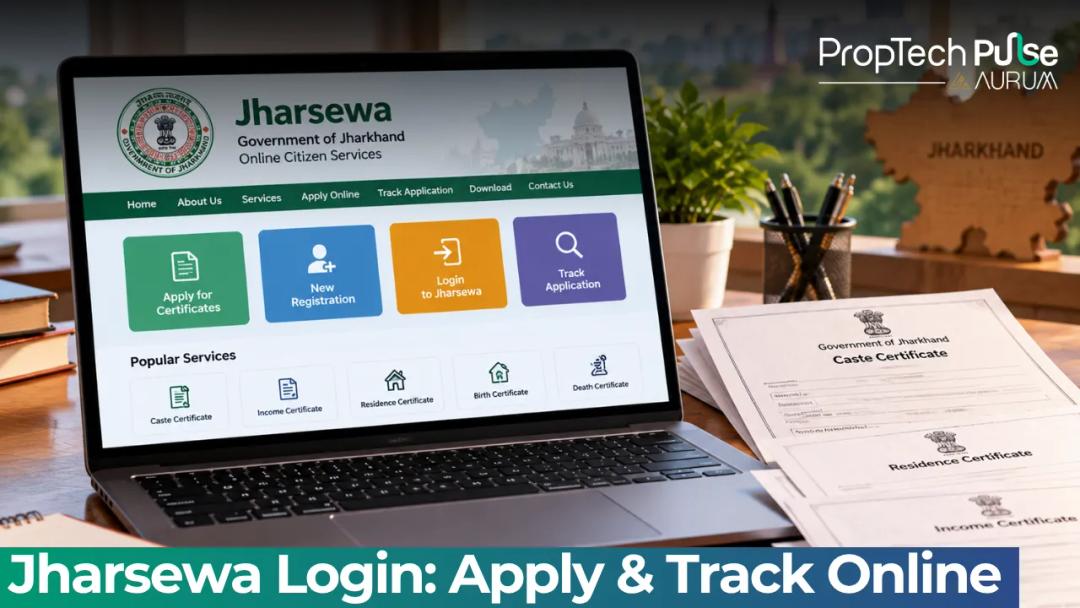
Applying for government certificates in Jharkhand used to mean standing in line at the tehsil office. Waiting often took days for a single stamp. Today, the Jharsewa portal lets residents download local resident, caste, income, and marriage certificates straight from a laptop. This guide shows the exact clicks to create an account, access service menus, upload compliant documents, and track your status without getting stuck on technical errors. In this guide What is Jharsewa Jharkhand and Why Does It Matter? How to Register and Complete Your Jharsewa Login Available Jharsewa Certificates You Can Apply For Online Step-by-Step: Applying Through the Jharsewa Portal How to Track Your Jharsewa Application Status Online How to Download Your Approved Certificate Before You Submit Your Application Frequently asked questions What is Jharsewa Jharkhand and Why Does It Matter? Quick answer Jharsewa is Jharkhand State E-Governance Society, the official platform for applying for digital government certificates online. Residents use the portal to submit applications, upload documents, pay fees, and track status for local resident, caste, income, and birth or death certificates. The Jharsewa portal operates under the National eGovernance Plan. Its backend runs on the ServicePlus framework built by C-DAC. Routing forms through this system cuts out the manual paperwork entirely. Banks in Bokaro or Hazaribagh demand this document for loan approvals. A separate guide on domicile certificate india apply online state portals breaks down how other states calculate permanent residence differently. How to Register and Complete Your Jharsewa Login Accessing government portals takes patience. Follow this route to create an account and log back in quickly. Open https://jharsewa.jharkhand.gov.in on any browser. Avoid outdated cache settings. Click the Citizen Section button on the homepage sidebar or top banner. Select New User Registration. Enter your full name, a working mobile number, and a valid email address. Verify the One Time Password sent to your phone. Create a six-character alphanumeric password. Remember it. On the login page, enter your username and password. Solve the CAPTCHA image exactly as shown. Users sometimes miss OTPs after switching SIMs or roaming outside the state. Hit Forgot Password rather than guessing repeatedly. Locked accounts delay everything. Preparing mortgage papers beforehand saves hours later. Scan your personal files neatly. Then read the essential home loan documentation checklist you need to anticipate bank demands ahead of time. Available Jharsewa Certificates You Can Apply For Online Jharsewa currently hosts over fifty services. The following lists cover the most common requests for residential transactions. Every certificate carries an embedded QR code that officials accept as original proof. Common Jharsewa certificate types and issuing departments Certificate Name Issuing Department Typical Processing Time Local Resident Certificate Dept of Personnel, Administrative Reforms & Rajbhasa 3 to 5 working days Caste Certificate (SC/ST) Dept of Personnel, Administrative Reforms & Rajbhasa 5 to 7 working days Income Certificate Dept of Revenue & Treasury 3 to 5 working days Birth Certificate Revenue Department / Civil Registration 1 to 3 working days Marriage Certificate Revenue Department 3 to 5 working days Eligibility matters more than you think. Before clicking Submit, use the Check Your Entitlement feature. The system compares your profile inputs against departmental criteria. It blocks you from wasting time on a form you qualify for later, or worse, forces a rejection. Step-by-Step: Applying Through the Jharsewa Portal Navigate these steps from your dashboard. Layout tweaks happen occasionally, but the core Jharsewa workflow remains stable. 1. Locate the service Open the Citizen Section menu. Search for your specific certificate type in the directory. Pick the exact match from the dropdown. District-specific variations sometimes hide useful tabs here. 2. Verify eligibility instantly Tap the Check Your Entitlement feature. Input your caste category, income band, and district. Green means you proceed. Red triggers a warning to visit a physical centre first. 3. Populate the form accurately Match entries to your Aadhaar card or voter ID precisely. Typographical mismatches force manual scrutiny. Double your processing wait. Attach supporting scans individually. Keep files under two megabytes and stick to PDF or JPEG formats. Slow internet connections break uploads mid-process. Compress images aggressively before hitting submit. 4. Settle payments securely Pick Net Banking, UPI, or Debit Card. Save the generated Reference Number and Challan ID immediately. Screenshot the success page for dispute backups. Stuck on the web interface? Walk into the nearest Pragya Kendra. Staff operate the same central database there and charge a minimal facilitation fee. How to Track Your Jharsewa Application Status Online Status checks run on two parallel tracks. Registered users follow the logged-in path. Guests use the public tracker. Logged-in path Open View Status of Application from your dashboard. Pick your pending request. Watch for four clear stages: Submitted, Under Verification, Approved by Competent Authority, and Dispatched. Guest path Return to the Citizen Section menu. Select Track Application Status Report. Paste your Reference Number exactly as printed. Pull the latest officer remarks instantly. Awaiting approval often feels slow. Rural blocks usually clear routine certificates in seventy-two hours. Busy district headquarters stretch to a full week due to volume spikes. Jharsewa application status codes and what they mean Status Code Meaning Action Required New Request Application received by the system None. Wait for assignment. Under Verification Assigned to a verifying officer Ensure uploaded documents are readable. Additional Information Needed Officer flagged unclear scans Contact the center or re-upload clearer images if the portal allows. Approved Signatures obtained digitally Download the PDF immediately. Rejected Claim invalid or data mismatch Refile with corrected details and fresh payment. How to Download Your Approved Certificate Switch the status to Approved inside Jharsewa, then open My Applications. Click the eye icon beside your document. The official PDF loads with a digital seal and authentication QR code in the footer. Scan the code locally to verify authenticity against the registry. Print a hard copy for your physical file. Some lenders still request paper trails despite electronic legal validity. Before You Submit Your Application Verify entitlement categories upfront. District boundaries and income ceilings adjust annually. Never guess based on old advice. Run the entitlement check early, upload crisp scans, and stash the reference number offline. That habit prevents half the rejection flags seen on Jharsewa daily. Frequently asked questions How do I apply for a local resident certificate online in Jharkhand? Log in to the Jharsewa citizen portal and go to the Citizen Section menu. Select Local Resident Certificate from the search results. Fill in your residential history and upload proof of address such as an electricity bill. Verify your identity using the OTP sent to your registered mobile number. Pay the nominal fee online and save the reference number. How can I track my Jharsewa application status? You can check progress through your logged-in dashboard by clicking View Status of Application. Alternatively, visit the public Track Application Status Report page as a guest. Enter the exact reference number printed on your payment challan to see the current stage. What documents are required for a Jharsewa certificate? Requirements vary by certificate type, but almost all demand a valid photo ID and proof of residence. Expect to submit parent details and tax filings for caste and income certificates. Always scan files in PDF format under two megabytes to avoid upload timeouts. Is Jharsewa login possible without a registered mobile number? If your primary number is inactive, you cannot receive the mandatory one-time password for registration. Switching to a new SIM solves this instantly. Alternatively, visit a nearby Pragya Kendra where authorized staff can process applications manually using the central database. How much does it cost to apply for a caste certificate? Standard processing for Scheduled Caste and Scheduled Tribe certificates typically costs around fifty rupees. Minor administrative surcharges may adjust the total slightly. Payments are accepted via net banking, UPI, or debit cards through the secure gateway linked to the state treasury. Where can I visit for assistance if the website fails? Physical help centers operate under the Jan Suvidha Kendra network across major districts. Trained operators handle form entry, document scanning, and payment processing. Bring your original ID proofs along with photocopies and arrive during standard government office hours. Sources Jharsewa Official Portal: Full service catalog and login architecture (accessed October 2026) Citizen Login Dashboard: Registration flows and navigation structure (accessed October 2026) Service Track List: Status codes and tracking workflows (accessed October 2026) Enjoyed this blog article? Visit PropTech Pulse for more interesting blogs.
PropTech Pulse Editorial
31st October 2026
Uncategorized
Bhulekh Bihar 2026: Check Land Record & Bhumi Jankari
Owning agricultural land or a vacant plot in Bihar often means long waits at the Circle Office. Skip the queue entirely by checking the Bhulekh Bihar system from home. The State Government has centralised the entire Bhulekh Bihar archive across three distinct portals instead of a single dashboard. You access bhumijankari.bihar.gov.in for text records, bhunaksha.bihar.gov.in for plot maps, and emutation.bihar.gov.in to track transfer status. Every downloaded document carries an official digital signature from the District Magistrate and Tehsildar. These records hold legal weight for bank loans, court evidence and property sales nationwide. Here is exactly how the system works, what the local terms mean and where to submit correction requests. In this guide What Exactly is Bhulekh Bihar and How Does It Work? Decoding Core Terms Across Every Bihar Land Record Step-by-Step Access Through Bhumi Jankari How to read plots on the Bhu Naksha Bihar map portal Tracking Mutation Requests Online New Digital Verification Rules Effective 1 January 2026 Validating Titles Beyond the Screen Frequently asked questions What Exactly is Bhulekh Bihar and How Does It Work? Quick answer Access Bihar's land records through three separate portals: bhumijankari.bihar.gov.in for ownership text, bhunaksha.bihar.gov.in for plot boundaries, and emutation.bihar.gov.in for tracking transfer status. Downloaded reports carry official digital signatures valid for banks and courts. Bhulekh is the common term for the digitised land revenue database managed by the Department of Revenue and Land Reforms. Under the National Land Records Modernisation Programme, the state moved from physical registers kept by local staff to server-based data that citizens can query remotely. The system now operates through three separate functions rather than a single dashboard. Textual ownership details live on one portal, cadastral boundary maps sit on another, and mutation tracking handles the transfer of those records after a sale or inheritance. If you are looking for any digital land records with maps and Bhu Aadhaar integration, the foundation is this three-tier architecture. Decoding Core Terms Across Every Bihar Land Record Local terminology varies wildly between Indian states, and mixing up terms often sends buyers to the wrong field on the search page. In Bihar, the core documents boil down to four specific records that handle different aspects of ownership. Bihar Khatiyan: This is the primary ownership certificate. It acts as the consolidated account book for all plots owned by a single individual or family within a village. When someone refers to checking their khatiyan, they mean verifying who legally holds title to the land currently. Khatauni: A slightly older term often used interchangeably with Khatiyan. Technically, the Khatauni records revenue liability rather than ownership rights. Practically though, it works the same as the current ownership summary for planning purposes. Khasra (or Khesra): Every individual plot has a unique Khasra number mapped to its geographic coordinates. If you only know the plot dimensions or location boundaries but not the owner's name, the Khasra number is your anchor to pull up the correct record. Jamabandi: The annual revision of the land register. Once a year, the local administration reconciles every change, such as sales, partitions, or errors, and publishes the updated Jamabandi. The online portal reflects the latest approved version available. Step-by-Step Access Through Bhumi Jankari Accessing textual records happens exclusively on the bhumijankari.bihar.gov.in portal. The interface is bilingual, so switch to Hindi if the English dropdown menus do not load correctly when searching the Bhulekh Bihar interface. Start by selecting Khatian Wise. You can also choose Khasra Wise if you already have the plot number. Choose your correct District. Bihar currently operates across thirty-eight districts; picking the wrong revenue jurisdiction returns empty results. Select the Subdivision and the Village. Village names repeat frequently, so double-check the spelling before searching. Enter either the full Owner Name or the Khatian Number. Partial names work, but accuracy improves results significantly. Solve the captcha and click Search. The system pulls the active record and displays a table showing survey numbers, area in decimals and bighas, and the recorded owner's details. Once the table loads, click the document icon next to the relevant entry to view or purchase the certified PDF. The fee covers the digital signature stamp and server processing costs authorised by the district administration. If you spot a discrepancy in the owner name or total area, note the Jamabandi number and head straight to the correction procedure outlined later. How to read plots on the Bhu Naksha Bihar map portal Ownership numbers mean very little until you see where the boundaries actually fall on the ground. The bhunaksha.bihar.gov.in portal renders cadastral maps sourced from village-level surveys. Head directly to the map portal and select the option to view plans by Plot Number or Khasra Number. Repeat the location selection process: District, Subdivision, and Village. Type in the exact Khasra Number assigned when the plot was first surveyed by government surveyors. Click View Map. The screen splits to show the geometric outline of your plot against the surrounding fields and roads. Some remote villages still rely on hand-drawn maps that predate satellite fixes. If the boundary lines look distorted or overlap heavily with neighbours, flag it immediately. Disputed boundaries on paper translate directly to massive headaches during registration. Cadastral Map and Record Navigation Quick Reference Action Required Data Point Portal URL Check ownership details Khatian Number or Owner Name bhumijankari.bihar.gov.in View plot boundaries Khasra Number bhunaksha.bihar.gov.in Track sale transfer progress Mutation Application Number emutation.bihar.gov.in Total Active Portals - - Tracking Mutation Requests Online Buying a plot or inheriting land does not automatically update the Bhulekh Bihar database. The transfer process, known locally as Dakhil Kharij, requires explicit approval from the local administration. Without a cleared mutation, the new owner remains invisible on official records. Go to emutation.bihar.gov.in and enter your Application Receipt Number, which you receive upon filing, along with the captcha. The tracker shows real-time movements: from receipt at the Block Development Office, through inspection by the revenue staff, to final confirmation by the Tehsildar. Processing timelines vary by district workload. Rural applications typically take sixty to ninety days to clear. Urban plots near major cities move faster due to higher administrative bandwidth. Do not rely solely on the portal tracker for peace of mind. Request an in-person status update at the local block office if the status stalls beyond two months. Once cleared, apply to view the updated text record using the revised Khatian number generated by the system. New Digital Verification Rules Effective 1 January 2026 Two major shifts fundamentally changed how land records operate in the state starting this year. First, the rollout of mandatory digital signatures on all downloaded PDF reports. Previously, users could print unauthorised screenshots and treat them as proof of ownership. Banks and courts now reject unsigned prints because the cryptographic seal ties the document to the current server snapshot. Second, the state expanded the scope of self-certified searches for standard transactions. While high-value corporate acquisitions still require manual verification from the District Commissioner, routine residential transfers can proceed with digitally verified exports. These updates align the provincial system with the national trajectory toward tamper-proof asset databases. To fix outdated entries before buying, consult our breakdown of Parimarjan Jamabandi correction steps. Correcting a record beforehand prevents payment deadlocks at the sub-registrar office. Validating Titles Beyond the Screen A downloaded PDF simply shows what the Bhulekh Bihar system displays. It does not guarantee marketable title. The database frequently lags behind actual possession by weeks. Fraudulent filings also slip through the mutation window before officials catch them. Always run a physical title search alongside the digital export. Verify the encumbrance history spanning at least thirty years at the sub-registrar office. Cross-reference the downloaded register with the adjacent plot owners physically present on site. If you are transferring a plot based on inherited shares, confirm every legal heir's NOC is notarised before initiating the Dakhil Kharij mutation process. Bhulekh Bihar provides the digital floor plan, but the physical survey marks the true limits. Always measure the perimeter yourself or hire a licensed mapper for large agricultural holdings. If you ever wonder what constitutes a fundamental property document in this ecosystem, reviewing a standard land revenue record extract will clarify exactly which fields matter most during a handshake agreement. Frequently asked questions Is the online Bhumi Jankari report legally valid for loan applications? Yes, provided you download the officially signed certified copy from the portal. Starting January 2026, all printed reports feature a cryptographic digital signature from the District Magistrate. Banks accept these documents for home loan processing and mortgage creation because the signature verifies that the data matches the live server. Unofficial screenshots or unauthenticated prints lack legal standing and will get rejected during due diligence. What is the difference between Khatiyan and Khatauni in Bihar? People often swap these terms because both appear on ownership certificates, yet they serve slightly different historical purposes. The Khatiyan acts as the modern title sheet summarising who holds active rights over specific plots inside a village. The Khatauni traditionally tracked land tax liabilities attached to those holdings. Today, the distinction matters mostly in legacy queries; for current purchases and loans, both documents point to the same registered owner. How long does the Dakhil Kharij mutation process take in Bihar? Transfer approvals depend entirely on district backlog and whether the local administration flags discrepancies during patrol. Urban plots near major cities usually clear within forty-five to sixty days. Rural applications stretch to ninety days because the revenue staff needs extra time to physically visit the site and confirm boundaries. Track your receipt number on the e-Mutation portal regularly to catch delays early. Can I view my map boundaries if I only know my neighbour's Khasra number? You cannot pull up your neighbour's private details directly unless you have their consent, but you can use the cadastral map tool to find shared boundaries. Locate the common Khasra number on the Bhu Naksha portal, zoom into the intersecting points and trace the adjoining plot outlines. Survey departments publish overlapping maps publicly so that adjacent owners can verify where one parcel ends and the next begins without needing mutual permission. Sources Department of Revenue and Land Reforms Bihar: Official portal architecture and service directory (accessed October 2026) Enjoyed this blog article? Visit PropTech Pulse for more interesting blogs.
PropTech Pulse Editorial
31st October 2026
Uncategorized
IGRSUP Online: UP Property Registration & Index Search
Registering a property in Uttar Pradesh through the IGRSUP portal sounds technical until you break down the government software. You might be initiating a fresh registration or verifying ownership history using the igrs index. Knowing exactly where to click prevents rejected applications and wasted trips to the Sub Registrar Office. In this guide What Is IGRSUP And Why It Matters For UP Property Buyers How To Initiate Online Property Registration On IGRSUP Understanding The IGRSUP Index: How To Search Property Records Visit The Sub Registrar Office: Physical Verification Steps Common Reasons Documents Are Rejected At The UP Sub Registrar Office Frequently asked questions What Is IGRSUP And Why It Matters For UP Property Buyers Quick answer The IGRSUP portal is the official digital platform for completing property sales, mortgages, and gifts across Uttar Pradesh. It handles stamp duty payments, generates appointment slots, and permanently archives executed deeds on the government cloud. The State Stamps and Registration Department uses the Integrated Grant Registration System to digitise every sale, gift, mortgage, and lease across Uttar Pradesh. The platform operates under the Registration Act 1908 and the Indian Stamp Duty Act 1899. It moves your deed from initial data entry to digital execution, meaning you rarely visit a government office until the final signature stage. You pay the prescribed igrs up stamp duty directly within the interface. The tool generates a unique pre-registration number and secures a timed slot at your local Sub Registrar Office. Without this digital trigger, you cannot print the application form, calculate the exact market value, or lock in an appointment. Most failed registrations happen because buyers skip backend validation. They assume the department stores records locally. Everything lands in the central server immediately upon submission, which means accuracy at this stage saves weeks of follow-ups. How the IGRS UP Registration System Works The platform runs on three core stages. You input basic buyer and seller details followed by the property location and agreement value. The system pulls the ready reckoner value, applies the mandatory igrs up stamp duty rate for that district, and calculates the exact fee you owe. Once you pay online, the tool generates the application ID and redirects you to pick a Sub Registrar Office slot. After biometric capture and physical inspection at the office, the digital deed is executed and stored on the central cloud. That is the entire loop. You simply need to know where the options sit without losing your place. Check the maintenance calendar first. The IGRSUP backend undergoes scheduled upgrades that temporarily block logins. In September 2026, a major server migration moved operations to new hardware, meaning any unexpected downtime is usually routine. Avoid scheduling your SRO visit during announced outage windows to prevent wasting a paid appointment. How To Initiate Online Property Registration On IGRSUP You start the process on the main dashboard by selecting 'Online Registration'. The menu asks for a mobile number to receive an OTP. Use a number linked to Aadhaar, because that identifier carries over to the final execution phase. Once verified, you enter a complex password meeting strict rules: eight characters minimum, one uppercase letter, one lowercase letter, one special character, and one digit. Try something like PrUp2026@ and save it somewhere safe. A locked account forces you to start the whole chain over. Creating Your Pre-Generated Application ID After setting the password, the next screen collects transaction specifics. Select the correct deed category from the drop-down, such as 'Sale Deed', 'Gift Deed', or 'Mortgage Deed'. Leave nothing blank in the demographic fields. The system validates the applicant's PAN card automatically against the income tax database. If the format does not match, the application stalls instantly. Fill the consideration amount in rupees exactly as written in the drafted agreement. Any mismatch triggers a physical enquiry at the SRO. When you hit the next button, the portal creates a unique pre-generated application ID. Print that page immediately. Without this ID, you cannot proceed to document generation. Filling out the Property Details Dropdowns Location mapping drives the next layer of calculations. Every rural and urban plot follows a strict hierarchy that the portal enforces rigidly. Choose your District first. Next comes the Tehsil. Then toggle between Urban and Rural area types. Urban plots require you to select the Ward number or Colony name. Rural land demands the Village name, Pargana, and specific Khasra Plot numbers. These selections set the base rate the software applies. Choose the wrong Tehsil and the calculated tax jumps to an incorrect district slab. You will have to reopen the form and lose your appointment slot. Essential items to carry when visiting your appointed Sub Registrar Office Requirement Details / Conditions Signed Agreement Draft Three original copies, matching the online consideration amount exactly. Identity Proof (Buyer & Seller) Aadhaar cards or Voter IDs. Biometric devices scan these directly. Witnesses Two adults with valid identity proof present physically at the counter. Previous Ownership Papers Last registered sale deed or succession certificate showing clear title. Appointment Receipt Digital confirmation printed from the portal, showing the allotted time slot. Understanding The IGRSUP Index: How To Search Property Records Once a deed hits the system, it becomes permanently visible in the public search engine known as the igrsup index. Buyers use this tool aggressively to confirm previous ownership chains, spot unauthorized liens, or verify whether a specific parcel actually exists in the registry. Searching via the igrs index takes seconds. It also exposes critical gaps that brokers often miss. Checking Past Registrations Using The Igrs index Open the 'Search Registered Property' tab on the homepage. Enter either the Application Number, Document Type, Year, or the registered owner's name. The output delivers a snapshot of past deals involving that identifier. Look closely at the 'Execution Status' column. A pending status means the paper trail stops at the SRO door, leaving the property legally vulnerable. A completed execution confirms the deed reached the registrar's desk and was digitally signed. Cross-reference the recorded measurement boundaries with your own site plan. If the dimensions diverge by even a few square feet, demand a fresh survey from the seller before handing over funds. Before finalising your purchase, ensure there are no outstanding claims by learning how to verify an encumbrance certificate alongside the registry search. Visit The Sub Registrar Office: Physical Verification Steps The digital queue ends the moment your booked hour arrives. Walk straight to the designated window for online registrations. The room is divided into two distinct zones that serve entirely different functions. Do not confuse the operator desk with the actual registrar chamber. Role Of The Operator Vs. Sub Registrar Government clerks sit behind computer screens on the floor. They handle file checks, run basic OCR scans on papers, and flag obvious errors before passing the stack upward. If you made a typo in your application, the operator returns it immediately rather than wasting the sub-registrar's time. The sub-registrar sits upstairs or in a separate cabin. Only their biometric signature completes the legal transfer of title. Operators do not execute documents; they merely prepare the folder for the executive officer's final stamp. Capturing Photos, Thumb Impressions, And Final Execution Both buyer and seller stand side by side at the biometric booth. The camera captures facial photos, while thermal sensors record finger and thumb impressions. Two witnesses sign their digital pads nearby. The entire session lasts roughly fifteen minutes if paperwork aligns perfectly. Hold onto the download link until the mutation orders arrive. Common Reasons Documents Are Rejected At The UP Sub Registrar Office Even with perfect online entries, physical inspections uncover flaws that halt processing. Conflicting measurements are another frequent culprit. If the builder's brochure advertises a larger size while the approved municipal plan shows a smaller footprint, the registrar holds the file until the discrepancy clears. Missing consent letters for joint properties cause massive delays too. If a spouse owns half the share but won't travel to the office, the entire transaction freezes. Unpaid taxes or unapproved society conversions keep deeds stuck in limbo regardless of how flawless the bank transfers look. Fixing these requires re-filing after the underlying issue is resolved. Always double-check project approvals independently. See our guide to verify if your project is RERA registered in UP, because an unregistered project gets summarily rejected under state law. Decide how fast you need to move versus how thorough you want to be. Running registry checks costs almost nothing in time and protects millions from fraud. Pair that diligence with strict adherence to the IGRSUP menus, and your transaction clears without getting trapped in bureaucratic holdouts. Read up on complete guide to property mutation after registration to map out the post-handover phase correctly. Frequently asked questions Frequently asked questions How do I search for property registration in Uttar Pradesh? You can locate existing deeds by entering the Application Number, Year, Document Type, or registered owner's name directly into the Public Search Engine tab on the IGRSUP portal. This database displays every finalized sale or gift tied to those identifiers, letting you track the exact execution date and verify boundary dimensions against your own site plans before investing further capital. What documents are required for online registration under IGRSUP? You must upload scanned copies of the sale agreement, original ownership proofs for both parties, PAN cards, and Aadhaar details. During the physical visit, bring three signed drafts matching the online value, two independent adult witnesses carrying valid identification, and the printed appointment receipt generated after your payment clears. Missing a single ID blocks the biometric scanner from advancing your file. How do I check the status of my IGRSUP registration? Log into the member dashboard using the credentials created during application submission. The Track Application feature shows real-time milestones ranging from Draft Saved to Under Operator Review and finally Executed. Alternatively, paste your pre-generated application ID into the public search portal to see if the document already passed the sub-registrar threshold and received its digital execution seal. What is the procedure to apply for a registration appointment online? Complete the property valuation module and pay the requisite stamp duty fees through the integrated banking gateway. Immediately following the successful transaction, the system prompts you to select a preferred Sub Registrar Office branch and assigns an available time slot. The portal locks that hour exclusively for your file to prevent queue overlaps and guarantees priority handling once you arrive at the counter. Can I cancel an IGRSUP application after paying the stamp duty? Withdrawals are possible only if you contact the assigned clerk before the physical verification phase begins. Processing the refund requires submitting a formal cancellation request along with the original transaction receipts. Authorities may deduct administrative levies from the returned amount depending on how deep into the validation workflow the file progressed during the waiting period. Enjoyed this blog article? Visit PropTech Pulse for more interesting blogs.
PropTech Pulse Editorial
31st October 2026
Uncategorized
Jharsewa 2026: Login, Apply & Track Certificates Online
Applying for government certificates in Jharkhand used to mean standing in line at the tehsil office. Waiting often took days for a single stamp. Today, the Jharsewa portal lets residents download local resident, caste, income, and marriage certificates straight from a laptop. This guide shows the exact clicks to create an account, access service menus, upload compliant documents, and track your status without getting stuck on technical errors. In this guide What is Jharsewa Jharkhand and Why Does It Matter? How to Register and Complete Your Jharsewa Login Available Jharsewa Certificates You Can Apply For Online Step-by-Step: Applying Through the Jharsewa Portal How to Track Your Jharsewa Application Status Online How to Download Your Approved Certificate Before You Submit Your Application Frequently asked questions What is Jharsewa Jharkhand and Why Does It Matter? Quick answer Jharsewa is Jharkhand State E-Governance Society, the official platform for applying for digital government certificates online. Residents use the portal to submit applications, upload documents, pay fees, and track status for local resident, caste, income, and birth or death certificates. The Jharsewa portal operates under the National eGovernance Plan. Its backend runs on the ServicePlus framework built by C-DAC. Routing forms through this system cuts out the manual paperwork entirely. Banks in Bokaro or Hazaribagh demand this document for loan approvals. A separate guide on domicile certificate india apply online state portals breaks down how other states calculate permanent residence differently. How to Register and Complete Your Jharsewa Login Accessing government portals takes patience. Follow this route to create an account and log back in quickly. Open https://jharsewa.jharkhand.gov.in on any browser. Avoid outdated cache settings. Click the Citizen Section button on the homepage sidebar or top banner. Select New User Registration. Enter your full name, a working mobile number, and a valid email address. Verify the One Time Password sent to your phone. Create a six-character alphanumeric password. Remember it. On the login page, enter your username and password. Solve the CAPTCHA image exactly as shown. Users sometimes miss OTPs after switching SIMs or roaming outside the state. Hit Forgot Password rather than guessing repeatedly. Locked accounts delay everything. Preparing mortgage papers beforehand saves hours later. Scan your personal files neatly. Then read the essential home loan documentation checklist you need to anticipate bank demands ahead of time. Available Jharsewa Certificates You Can Apply For Online Jharsewa currently hosts over fifty services. The following lists cover the most common requests for residential transactions. Every certificate carries an embedded QR code that officials accept as original proof. Common Jharsewa certificate types and issuing departments Certificate Name Issuing Department Typical Processing Time Local Resident Certificate Dept of Personnel, Administrative Reforms & Rajbhasa 3 to 5 working days Caste Certificate (SC/ST) Dept of Personnel, Administrative Reforms & Rajbhasa 5 to 7 working days Income Certificate Dept of Revenue & Treasury 3 to 5 working days Birth Certificate Revenue Department / Civil Registration 1 to 3 working days Marriage Certificate Revenue Department 3 to 5 working days Eligibility matters more than you think. Before clicking Submit, use the Check Your Entitlement feature. The system compares your profile inputs against departmental criteria. It blocks you from wasting time on a form you qualify for later, or worse, forces a rejection. Step-by-Step: Applying Through the Jharsewa Portal Navigate these steps from your dashboard. Layout tweaks happen occasionally, but the core Jharsewa workflow remains stable. 1. Locate the service Open the Citizen Section menu. Search for your specific certificate type in the directory. Pick the exact match from the dropdown. District-specific variations sometimes hide useful tabs here. 2. Verify eligibility instantly Tap the Check Your Entitlement feature. Input your caste category, income band, and district. Green means you proceed. Red triggers a warning to visit a physical centre first. 3. Populate the form accurately Match entries to your Aadhaar card or voter ID precisely. Typographical mismatches force manual scrutiny. Double your processing wait. Attach supporting scans individually. Keep files under two megabytes and stick to PDF or JPEG formats. Slow internet connections break uploads mid-process. Compress images aggressively before hitting submit. 4. Settle payments securely Pick Net Banking, UPI, or Debit Card. Save the generated Reference Number and Challan ID immediately. Screenshot the success page for dispute backups. Stuck on the web interface? Walk into the nearest Pragya Kendra. Staff operate the same central database there and charge a minimal facilitation fee. How to Track Your Jharsewa Application Status Online Status checks run on two parallel tracks. Registered users follow the logged-in path. Guests use the public tracker. Logged-in path Open View Status of Application from your dashboard. Pick your pending request. Watch for four clear stages: Submitted, Under Verification, Approved by Competent Authority, and Dispatched. Guest path Return to the Citizen Section menu. Select Track Application Status Report. Paste your Reference Number exactly as printed. Pull the latest officer remarks instantly. Awaiting approval often feels slow. Rural blocks usually clear routine certificates in seventy-two hours. Busy district headquarters stretch to a full week due to volume spikes. Jharsewa application status codes and what they mean Status Code Meaning Action Required New Request Application received by the system None. Wait for assignment. Under Verification Assigned to a verifying officer Ensure uploaded documents are readable. Additional Information Needed Officer flagged unclear scans Contact the center or re-upload clearer images if the portal allows. Approved Signatures obtained digitally Download the PDF immediately. Rejected Claim invalid or data mismatch Refile with corrected details and fresh payment. How to Download Your Approved Certificate Switch the status to Approved inside Jharsewa, then open My Applications. Click the eye icon beside your document. The official PDF loads with a digital seal and authentication QR code in the footer. Scan the code locally to verify authenticity against the registry. Print a hard copy for your physical file. Some lenders still request paper trails despite electronic legal validity. Before You Submit Your Application Verify entitlement categories upfront. District boundaries and income ceilings adjust annually. Never guess based on old advice. Run the entitlement check early, upload crisp scans, and stash the reference number offline. That habit prevents half the rejection flags seen on Jharsewa daily. Frequently asked questions How do I apply for a local resident certificate online in Jharkhand? Log in to the Jharsewa citizen portal and go to the Citizen Section menu. Select Local Resident Certificate from the search results. Fill in your residential history and upload proof of address such as an electricity bill. Verify your identity using the OTP sent to your registered mobile number. Pay the nominal fee online and save the reference number. How can I track my Jharsewa application status? You can check progress through your logged-in dashboard by clicking View Status of Application. Alternatively, visit the public Track Application Status Report page as a guest. Enter the exact reference number printed on your payment challan to see the current stage. What documents are required for a Jharsewa certificate? Requirements vary by certificate type, but almost all demand a valid photo ID and proof of residence. Expect to submit parent details and tax filings for caste and income certificates. Always scan files in PDF format under two megabytes to avoid upload timeouts. Is Jharsewa login possible without a registered mobile number? If your primary number is inactive, you cannot receive the mandatory one-time password for registration. Switching to a new SIM solves this instantly. Alternatively, visit a nearby Pragya Kendra where authorized staff can process applications manually using the central database. How much does it cost to apply for a caste certificate? Standard processing for Scheduled Caste and Scheduled Tribe certificates typically costs around fifty rupees. Minor administrative surcharges may adjust the total slightly. Payments are accepted via net banking, UPI, or debit cards through the secure gateway linked to the state treasury. Where can I visit for assistance if the website fails? Physical help centers operate under the Jan Suvidha Kendra network across major districts. Trained operators handle form entry, document scanning, and payment processing. Bring your original ID proofs along with photocopies and arrive during standard government office hours. Sources Jharsewa Official Portal: Full service catalog and login architecture (accessed October 2026) Citizen Login Dashboard: Registration flows and navigation structure (accessed October 2026) Service Track List: Status codes and tracking workflows (accessed October 2026) Enjoyed this blog article? Visit PropTech Pulse for more interesting blogs.
PropTech Pulse Editorial
31st October 2026

Ask Pulse Ai anything about real estate

Unlock the Latest in Real Estate
News, Infographics, Blogs & More! Delivered to your inbox.